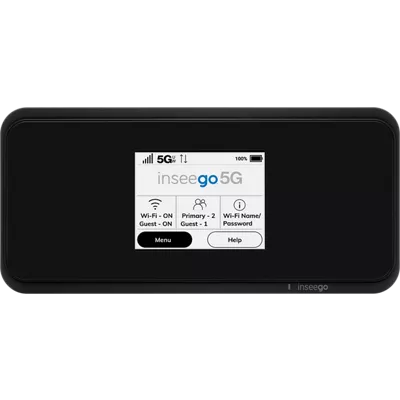
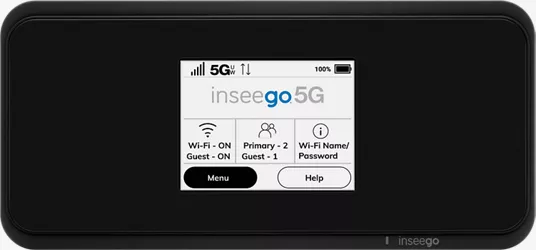
Inseego MiFi M2100 5G UW
2.5 (124 reviews)
Color: Black
This item is only available for Express Pickup.
of $40 per device
Compare devices
Currently Viewing Inseego MiFi M2100 5G UWStarts at $11.11/mo for 36 months, 0% APR | Inseego MiFi X PRO 5G UWStarts at $9.72/mo for 36 months, 0% APR |
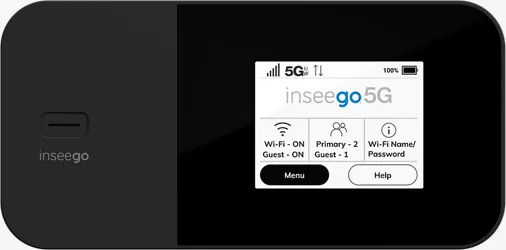
Inseego MiFi M2100 5G UW Battery lifeUp to 24 hrs. | Inseego MiFi X PRO 5G UW Battery lifeUp to 13 hrs. |
Inseego MiFi M2100 5G UW Screen2.4" Touchscreen | Inseego MiFi X PRO 5G UW Screen2.4” IPS color touchscreen display |
Inseego MiFi M2100 5G UW Reviews2.5 out of 5 rating 2.5 (124 reviews) | Inseego MiFi X PRO 5G UW Reviews3.3 out of 5 rating 3.3 (941 reviews) |
Inseego MiFi M2100 5G UW Storage(Subject to availability) | Inseego MiFi X PRO 5G UW Storage1 GB (Subject to availability) |
Inseego MiFi M2100 5G UW Rear camera | Inseego MiFi X PRO 5G UW Rear camera |
Inseego MiFi M2100 5G UW Colors | Inseego MiFi X PRO 5G UW Colors |
Inseego MiFi M2100 5G UW | Inseego MiFi X PRO 5G UW |
This device supports 5G UW high-band (mmWave) only, 5G Nationwide and 4G LTE.
Reviews
2.5
124 reviews
35% of reviewers recommend this product.
Not impressed
pasin · 8 months ago
Great device
HcHaga · 10 months ago
Design
depth
0.70 in
Color
Black
width
5.9 in.
weight
7.40 oz.
height
2.2 in
Network
SAR
1.18W/kg
Global Network
UMTS: B1,B2,B4,B5,B8
Battery
Usage Time
24 hrs.
Performance
Storage
512MB Flash UFS/ 512MB RAM LPDDR4
Processor
Qualcomm Snapdragon SDx55
Operating System
MiFi OS2
Display
Screen
2.4" Touchscreen
SKU#
SKU#
What's in the box
- MiFi M2100 5G UW Hotspot
- 14.4W QC 2.0 Charger
- USB Type C to A Cable
- 4FF Nano SIM
- QSG
- ICSI
- Warranty Card
Inseego MiFi M2100 5G UW Reviews
2.5
124 reviews
35% of reviewers recommend this product.
Not impressed
pasin · 8 months ago
Great device
HcHaga · 10 months ago
Terrible purchase
Willbert · 1 year ago
Terrible Product
Fred · 1 year ago
Not 5G UW
Danny · 1 year ago
Horrid
Jay68 · 1 year ago
Waste of money
cjfb · 1 year ago
Great device for a rural areA
rural · 1 year ago
Horrible
Not today · 1 year ago
Poor service · 2 years ago
Inseego MiFi M2100 5G UW FAQs
MifiM3100 . Nov 13, 2025
How to find a download for the user guide?
You can find the user guide and more information on the Inseego MiFi M2100 5G UW Overview at: https://www.verizon.com/support/inseego-mifi-m2100-5g-uw/
JC131 . Nov 2, 2025
How fast is this device?
This device offers download speeds up to 2.7 Gbps, with actual speeds varying by plan. It also features quick 4G LTE fallback for extended connectivity.
Amee . Oct 23, 2025
I accidentally marked reviews as inappropriate while scrolling! How do I change those markings because the reviews were not inappropriate just my ability to scroll.
Mark . Sep 23, 2025
Is this device compatible with iPhone 17pro
The Verizon MiFi M2100 5G UW Prepaid is compatible with the iPhone 17 Pro because mobile hotspots provide a wireless internet connection that any Wi-Fi-enabled device, including smartphones, can use. The M2100 creates a personal Wi-Fi network, allowing the iPhone to connect to the internet through the hotspot's 5G and 4G LTE service.For more questions, contact the Verizon Customer Service department at 800-922-0204. -Ross
Bryan . Jun 15, 2025
Does this Hotspot have a port for an external antenna?
This does not have an external antenna. ~Peter
Julian . Jun 14, 2025
Does it have NAT2 capabilities and would this be good for on the go gaming with the highest plan available with Verizon.
Yes, it has NAT2 capabilities, and is a great option for usage on the go to keep you connected while you're traveling. -Cait
Duane . Jun 2, 2025
sd card
The MiFi M2100 5G UW hotspot does not have an SD card slot. The device primarily uses a SIM card for cellular data and does not support external storage via SD cards. For more information, contact Verizon Customer Service at 800-922-0204 or: -Ross https://www.verizon.com/support/contact-us/
Ccaarrrlll . Apr 27, 2025
What bandwidth does it support
Inseego . Apr 22, 2025
Does this have an Ethernet port
The Inseego MiFi M2100 5G UW provides only wireless and wire connection through tether mode. -Art
Setting Up Voicemail . Apr 17, 2025
How to set up voicemail
Thanks for your inquiry. In order to set up voicemail you would follow these steps: 1) Dial into the voice mail system. If calling from a Verizon device, dial *86 2) Follow the prompts to create a password (4-7 digits) and a greeting. For any additional support in setting up your voicemail, please visit: https://www.verizon.com/support/voicemail/ -Christy
Enter email address
By entering this email address and submitting this form, you agree to receive emails with information, offers, and promotions regarding Verizon products and services. You acknowledge being at least 18 years of age.
Estimated payment
$/mo 36 mos
This page was generated on 2026-02-26T01:31:48.987Z.