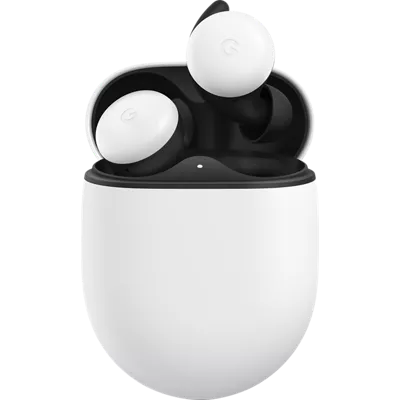
308 reviews
57% of reviewers recommend this product.
Tee Tee . 3 years ago
Google Team - 3 years ago
Hi Tee Tee, thanks for sharing your feedback on Pixel Buds, and we're sorry to hear of your poor experience with its performance and connectivity.
MrFaceDude . 4 years ago
Google Customer Care - 4 years ago
Hi MrFaceDude, thanks for bringing this to our attention. We’re sorry to hear that your Pixel Buds have short battery life. Please check the following steps that might be helpful: 1. Make sure that the Pixel Buds’ firmware version is updated: - Tap More settings. - Tap Firmware update. - At the bottom, below each component (left earbud, right earbud, and charging case), you’ll find the serial numbers, device firmware status, device firmware version listed. - Tap the toggle to turn Automatic updates on. - Ensure that both the earbuds and charging case have enough charge (above 20%) for Over-the-air auto-updates to happen. 2. Reset the earbuds and restart your source device: - Place the earbuds in the charging case for one minute, then remove them. - Reset the Pixel Buds. - Restart the source device. If unresolved, we'd love to know more about what is going on with your Pixel Buds and see how we may be able to improve your experience. You can reach out to our support team here: https://support.google.com/googlepixelbuds/gethelpGoogle LLC Originally posted on Google LLC
SKU#
GA01470-US
Tee Tee . 3 years ago
Google Team - 3 years ago
Hi Tee Tee, thanks for sharing your feedback on Pixel Buds, and we're sorry to hear of your poor experience with its performance and connectivity.
MrFaceDude . 4 years ago
Google Customer Care - 4 years ago
Hi MrFaceDude, thanks for bringing this to our attention. We’re sorry to hear that your Pixel Buds have short battery life. Please check the following steps that might be helpful: 1. Make sure that the Pixel Buds’ firmware version is updated: - Tap More settings. - Tap Firmware update. - At the bottom, below each component (left earbud, right earbud, and charging case), you’ll find the serial numbers, device firmware status, device firmware version listed. - Tap the toggle to turn Automatic updates on. - Ensure that both the earbuds and charging case have enough charge (above 20%) for Over-the-air auto-updates to happen. 2. Reset the earbuds and restart your source device: - Place the earbuds in the charging case for one minute, then remove them. - Reset the Pixel Buds. - Restart the source device. If unresolved, we'd love to know more about what is going on with your Pixel Buds and see how we may be able to improve your experience. You can reach out to our support team here: https://support.google.com/googlepixelbuds/gethelpGoogle LLC Originally posted on Google LLC
4 years ago
Google Customer Care - 4 years ago
Hi Adamsankey, we appreciate your feedback. We are really sorry to hear that your left Pixel Buds isn't working. Please feel free to reach out to our support team by visiting: https://support.google.com/googlepixelbuds/gethelpGoogle LLC Originally posted on Google LLC
4 years ago
Google LLC Originally posted on Google LLC
Andrew G. . 4 years ago
Google Customer Care - 4 years ago
Hi Andrew G., thanks for reaching out. We're sorry to hear about the poor connectivity issue with your Pixel Buds. We'd love to know more about what is going on with your Pixel Buds and see how we may be able to improve your experience. You can reach out to our support team here: https://support.google.com/googlepixelbuds/gethelpGoogle LLC Originally posted on Google LLC
Gringohopes . 4 years ago
Google LLC Originally posted on Google LLC
pvaughn99 . 4 years ago
Google Customer Care - 4 years ago
Hi pvaughn99, thanks for sharing a review. We’re sorry to hear that your Pixel Buds didn’t work well for you. We designed Pixel Buds to work with ease, and this is not the kind of user experience we want you to have. If you still have the Pixel Buds or if you’re willing to give it another try, we’d be more than happy to help you with any of its issues. You can reach out to our support team anytime here: https://support.google.com/googlepixelbuds/gethelpGoogle LLC Originally posted on Google LLC
ezqc . 4 years ago
Google Customer Care - 4 years ago
Hi ecqz, thanks for reaching out. We understand how challenging it can be everytime your Google Pixel Buds get disconnected. We'd like to help you in the best possible way. - Make sure to have the updated firmware version. - Reset the earbuds and restart the source device. - Confirm that glitches are not caused by spotty or intermittent internet connection. - Keep the earbuds close to the source device. If the Issue persists, we recommend that you reach out to our Google Help team so we can identify the cause of the issue and help you in the best way possible. You can contact us by clicking the link here https://support.google.com/googlepixelbuds/gethelpGoogle LLC Originally posted on Google LLC
jetstraight . 4 years ago
Google LLC Originally posted on Google LLC
BuckR-T . 4 years ago
Google Customer Care - 4 years ago
Hi BuckR-T, thanks for sharing your feedback on Pixel Buds. We're sorry to hear you're experiencing audio skipping and dropping issues. Please feel free to reach out to our support team by visiting: https://support.google.com/googlepixelbuds/gethelpGoogle LLC Originally posted on Google LLC
Fari . Oct 23, 2020
I need internet for my desk top computer. How can this achieved if I have no local internet connection provider for example - Xfinity