Turn App Permissions On / Off - LG G Pad™ X8.3
Here's how to turn permissions for installed apps on your LG G Pad X8.3 on or off.
- Downloaded apps designed for Android 6.0 (Marshmallow) and up only ask for permission the first time you use a feature rather than asking for permissions out of context.
- Turning off certain permissions may result in basic features no longer working as intended.
- From a Home screen, navigate:(Device section).Apps iconSettingsApplication manager
- Locate then select the appropriate app.If system apps aren't visible, tapMenu(located in the upper-right) >Show system.
- If available, tapPermissions.
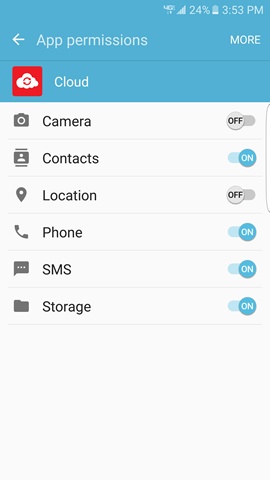
- Select available permissions (e.g., Camera, Contacts, Location, etc.) to turn on
or off
.
If prompted, review the message then tap CANCEL or DENY.The image below is merely an example.