Insert / Remove Battery - Wireless Home Phone T2000
Here's how to insert / remove the battery on your Wireless Home Phone T2000.
Ensure your device is unplugged from the power source before removing the battery.
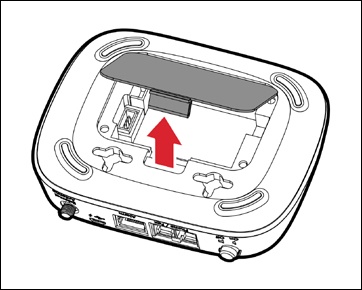
- Remove the battery cover by pressing your finger against the removal tab.
- Do one of the following:
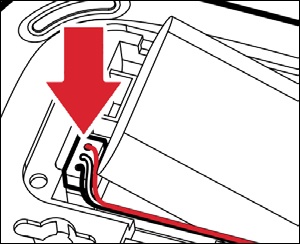
- Insert batteryConnect the battery cable to the port on the device then insert the battery as shown.Place the red cable toward center of battery case.
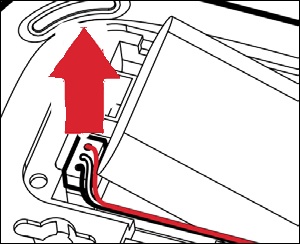
- Remove batteryLift the battery out and disconnect the battery connector from the port by pulling the connector straight up.If the connector is stuck, make sure the it's pulled straight up. If pulled any other way it won't release.
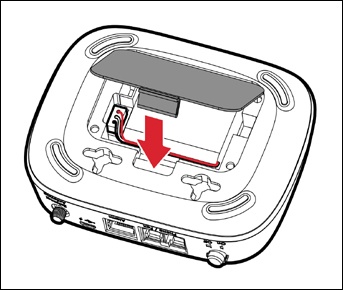
- Replace the battery cover.