Insert / Remove SIM Card - Wireless Home Phone T2000
Here's how to properly insert or remove a SIM card for your Wireless Home Phone T2000.
Don't attempt to insert the SIM card while the Wireless Home Phone T2000 is powered on. Doing so may harm the SIM card and/or the device.
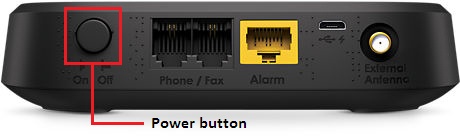
- Ensure the device is powered off.
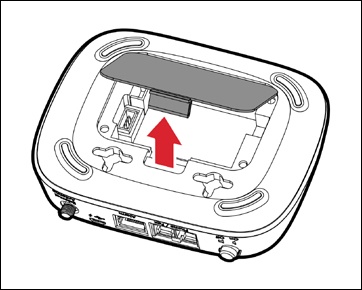
- Remove the battery cover.
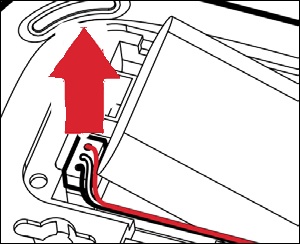
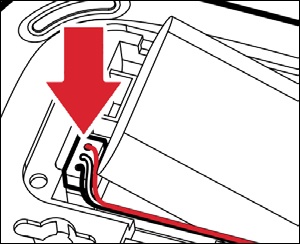
- Disconnect the battery cable then remove the battery.
- Do one of the following:
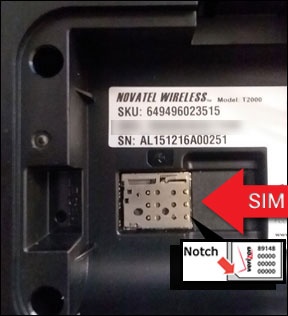
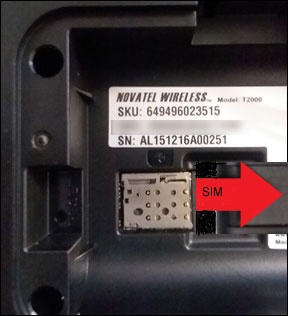
- Insert SIM cardWith the gold contacts facing down, align the card (notch first) then gently push the card in until it clicks into place.The following image is showing the physical location of the SIM tray and is for informational purpose only.
- Remove SIM cardGently push in on the card, then carefully pull out the SIM card.
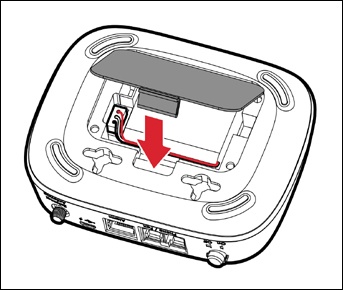
- Connect the battery cable to the socket on the device then insert the battery as shown.
- Replace the battery cover.