Global Modem USB730L - Insert / Remove SIM Card
Here's how to properly insert or remove a SIM card for your Global Modem USB730L.
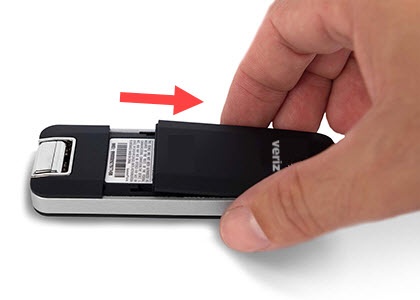
- Carefully remove the cover by placing your thumb toward the bottom of the panel and sliding upward.
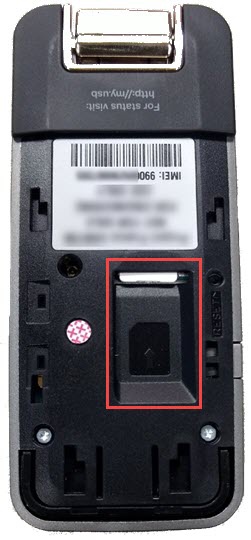
- Locate the SIM card slot and do one of the following:
- Insert SIM cardWhen inserting the SIM, ensure the gold contacts are facing down, the notch is located in the lower-right and that you slide the card in until it clicks into place.
- Remove SIM cardPress the card in until it clicks and releases then lift the card from the SIM slot.
- Replace the cover by sliding it downward.