Lenovo tab 4 8 PLUS - View SIM Card Number
Here how to view the SIM card number (ICCID) on your Tab 4 8 PLUS.
- From a Home screen, swipe up or down from the center of the display to access the apps screen.
- Navigate:.SettingsSystemAbout tabletStatus
- TapIMEI information.
- View the ICCID (SIM card number).

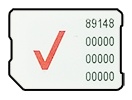
You can also remove the SIM card and view the 20-digit SIM card number (with the gold contacts facing away).