moto z4 - Manage RTT Settings
Here's how to use the real-time text (RTT) feature on your moto z4.
Real-time text (RTT) is text transmitted instantly as it is typed or created. Recipients can immediately read the message while it is being written, without waiting or the need for an additional device.
Enable / Disable RTT
- From a Home screen, tap thePhone icon
(lower-left).
If unavailable, swipe screen up to access all apps then tapPhone. - Navigate:.Menu iconSettingsAccessibility
- TapReal Time Text (RTT) Callto turn on
or off
.
If prompted with a 'No Video Calls or Call Merging' message, tapOKto accept.When RTT is enabled on both devices no audio is heard on the call. If you aren't hearing audio make sure RTT is turned off. - Tap theback arrow icon
(upper-left) several times to return to the calling screen.

Make a Call with RTT
- With RTT enabled, from a Home screen, tap thePhone iconIf unavailable, swipe screen up to access all apps then tapPhone.
- Tap theRTT icon
next to the contact you want to call.
To dial a number, tap the Keypad icon, dial the number then tap the RTT icon
.
- Once the call connects, RTT screen displays.

Switch a Call to RTT
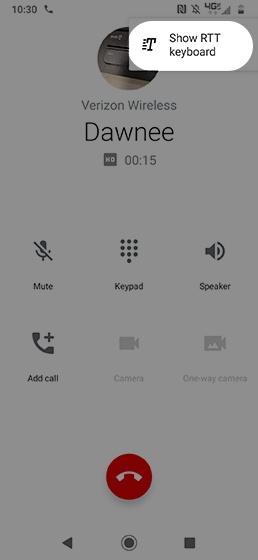
- If RTT is turned off, while on a call, navigate:.Menu iconShow RTT Keyboard
End an RTT Call
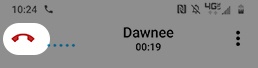
- While on a call, tap theEnd icon(top-left) to end the call.