Session status messages
Session Status

Due to inactivity, your session will end in approximately 2 minutes. Extend your session by clicking OK below.

Due to inactivity, your session has expired. Please sign in again to continue.

Orbic ® Journey ™ V / Orbic Journey - View Device ID

2026-10-05 11:34:53.551

Orbic® Journey™ V / Orbic Journey - View Device ID

Here's how to find the device ID (IMEI) for your Journey V / Journey.
  1. From the main screen, select
    Menu
    .
    Utilize the 5-way navigation pad to highlight and the center button to select.
    5-way Navigation Pad
  2. Navigate:
    Tools & Settings
    Settings
    About phone
    .
  3. Select
    Status
    then view the IMEI.
You can also remove the battery and view the MEID inside the battery compartment or follow these steps to view it online.
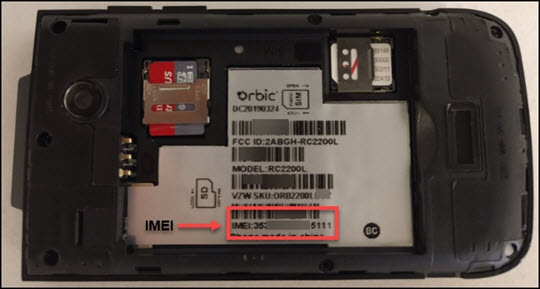
View the IMEI