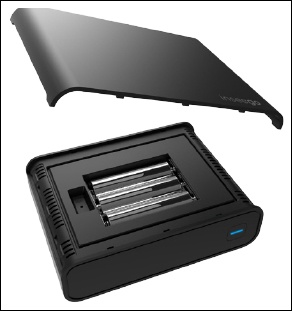
Inseego Business Phone Connect - Insert / Remove Batteries
Here's how to insert / remove the AA batteries for your Business Phone Connect.
Whenever you insert or remove the batteries, make sure your Business Phone Connect isn't connected to any device or power source.
- Using a fingernail or a coin, gently pry the battery cover from the Business Phone Connect and set it aside.
- Do one of the following:
- Insert batteriesInstall the three AA batteries that came with the device.
- Remove batteriesLift the AA batteries by pulling them straight up.
- Replace the battery cover by setting it on the Business Phone Connect where the notches align, then press on the cover until it clicks into place.