Inseego Business Phone Connect - Establish Wired Connection
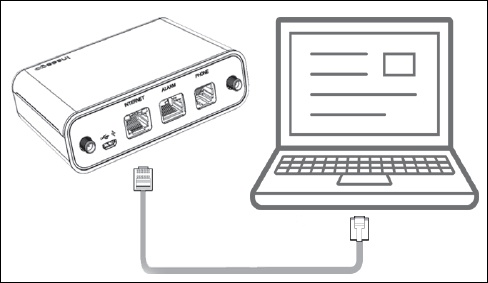
Here's how to establish a wired connection via Ethernet on your Business Phone Connect.
Electrical equipment can cause interference with Business Phone Connect. Avoid placing Business Phone Connect near other electrical equipment such as refrigerator, television and/or microwave oven.
Ethernet cables are sold separately.
- Plug the end of an Ethernet cable into the internet port on the Business Phone Connect.
- Plug the other end of the cable into a computer, retail POS, digital fax or other device. If testing fails, try replacing your ethernet cable and attempt to test the connection again.If testing fails, try replacing your ethernet cable and attempt to test the connection again.