Wireless Home Phone (LVP2) - Insert / Remove Battery
Here's how to insert / remove the battery on your Wireless Home Phone (LVP2).
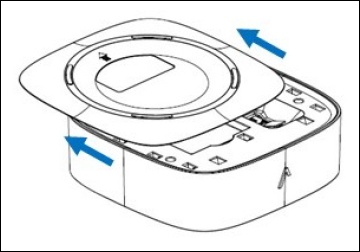
- Remove the battery cover (on the bottom of the device) by firmly pressing and sliding it in the direction of the arrows.If connected to an external power source, disconnect the power cable.
- Do one of the following:
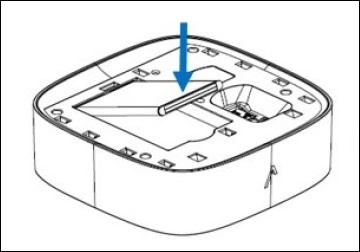
- Insert batteryInsert the battery as shown.
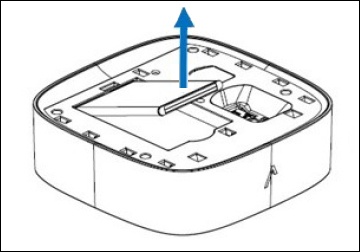
- Remove batteryLift the battery out as shown.
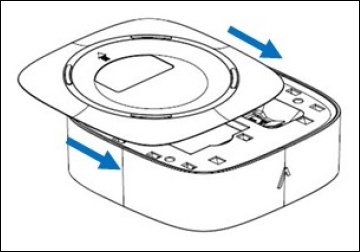
- Replace the battery cover.