Wireless Home Phone (LVP2) - Soft Reset
Here's how to restart your Wireless Home Phone (LVP2) if it crashes and resets, freezes or runs slow.
A soft reset is similar to restarting a desktop computer and is one of the first steps in troubleshooting a device.
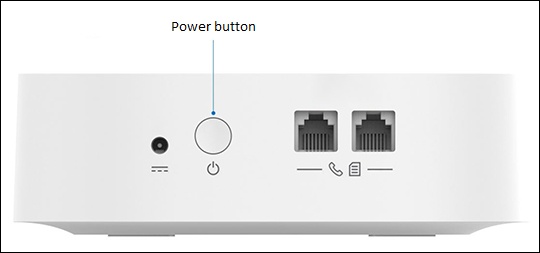
- Press and hold thePower button(on the back of the unit) for 3 seconds to turn the device off.
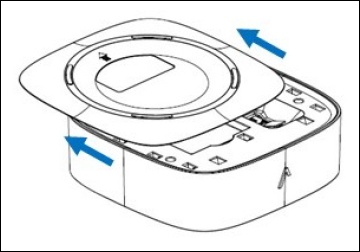
- Remove the battery cover (on the bottom of the device).
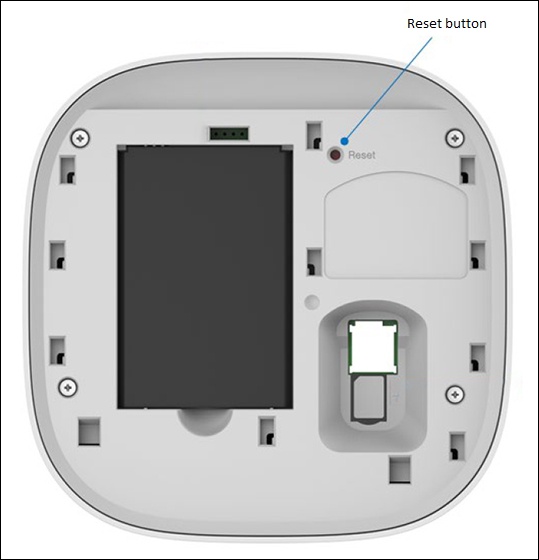
- Using a paper clip or other small tool, press and release theReset button.
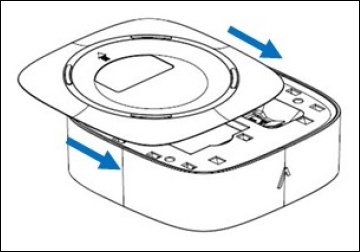
- Replace the battery cover.