KYOCERA DuraXV Extreme - Insert / Remove Battery
Here's how to insert / remove the battery on your DuraXV Extreme.
- Ensure the device is powered off.
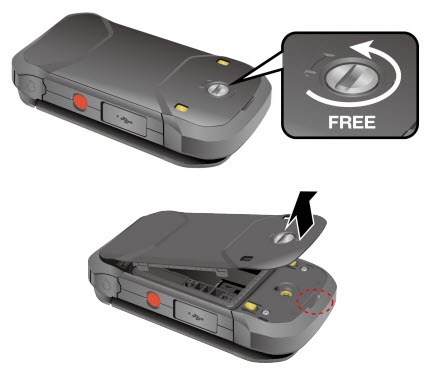
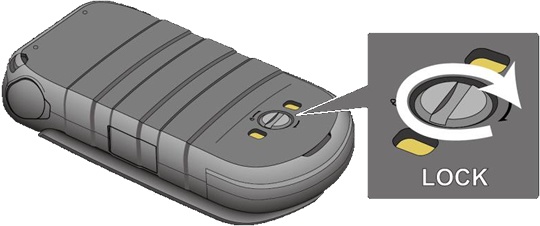
- Unscrew (turn counterclockwise) then remove the battery cover.
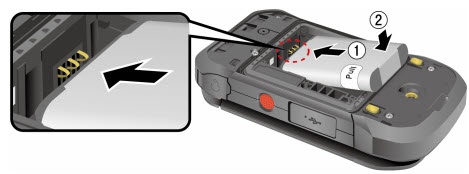
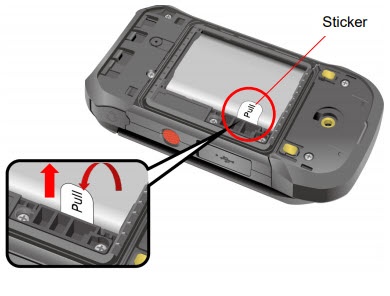
- Do one of the following:
- Insert BatteryAlign the contacts on the battery with the contacts on the phone.
- Remove BatteryPull the tab that's attached to battery.
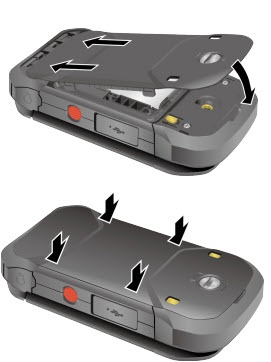
- Replace the back cover then press down along the edges.
- Turn the screw (turn clockwise) to secure the cover in place.