Inseego MiFi 2100 5G UW - Insert / Remove SIM Card
Here's how to properly insert or remove a SIM card for your MiFi 2100 5G UW.
Don't attempt to insert or remove the SIM card with the battery still installed on your Inseego MiFi® 2100 5G UW. Doing so can harm the SIM card and/or the device.
- Ensure the device is powered off.
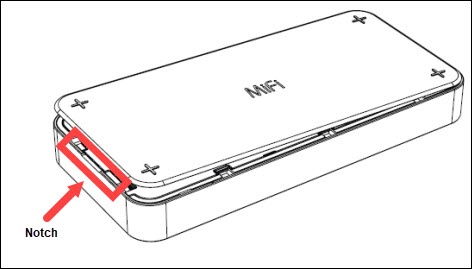
- Remove the battery cover.Place a fingernail in the notch on the top or bottom then lift the back cover.
- Remove the battery then do one of the following:
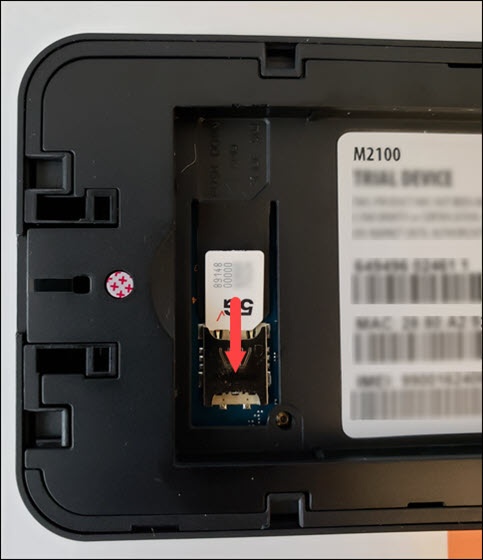
- Insert SIM cardEnsure the gold contacts are facing down then slide in the card until it won't go further and is securely under the metal SIM holder.
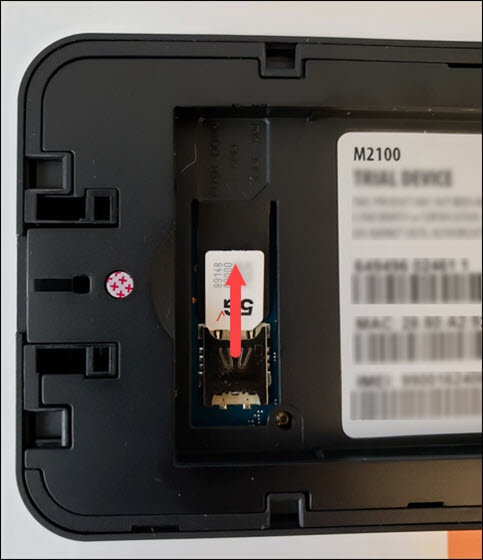
- Remove SIM cardPress down on the SIM tab and slide the SIM card out.
- Re-insert the battery (begin with step 2).
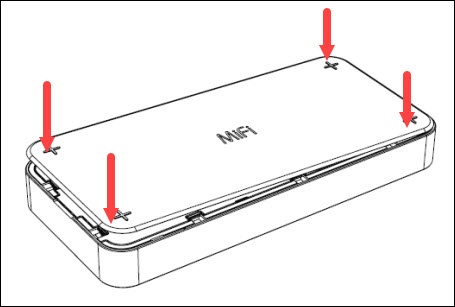
- Replace the battery cover.Press down along the edges until it snaps into place.