Kazuna eTalk MYFLIX - Insert / Remove Battery
Here's how to insert / remove the battery for your eTalk MYFLIX.
- Ensure your Kazuna eTalk MYFLIX™ is powered off.
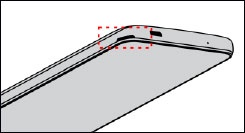
- From the notch in the corner of the bottom edge, gently lift and remove the battery cover.
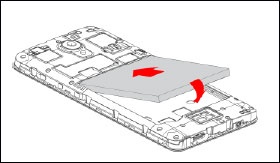
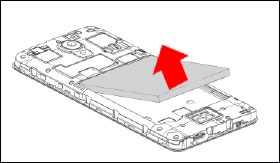
- Do one of the following:
- Insert batteryEnsure the connectors on the battery align with the connectors on the device.
- Remove batteryFrom the notch in lower edge of the battery compartment, lift then remove the battery.
- Align the battery cover then gently press to snap cover into place.