Nokia 2720 V Flip - Insert / Remove SIM Card
Here's how to properly insert or remove a SIM card for your Nokia 2720 V Flip.
Instructions on inserting / removing your SIM can help with activation issues / errors, browser connection problems and a blank or frozen screen.
- Ensure your device is powered off.
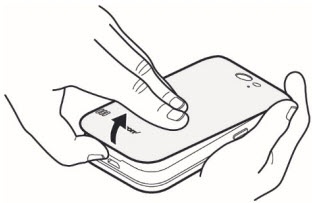
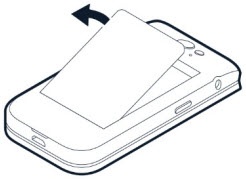
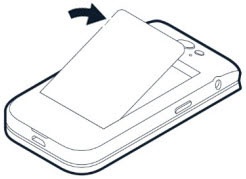
- Remove the battery cover.From the notch at the bottom edge, put your fingernail in the small slot to lift and remove the cover.
- If the battery is in, lift it out.
- Do one of the following:
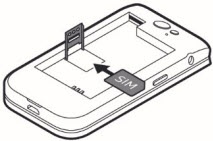
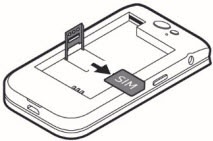
- Insert SIM cardSlide the SIM card holder to the left and open it up. Place the nano-SIM in the slot. face down, close down the holder and slide it to the right to lock it in place.
- Remove SIM cardSlide the SIM card holder to the left and open it up to remove it.
- Insert the battery.Ensure the connectors on the battery align with the connectors on the device.
- Align the battery cover then gently press to snap it into place.