TCL FLIP Pro - Check Voicemail
Here's how to check Voicemail from your FLIP Pro or a different phone.
Speed Dial Number
- From the main screen, press and hold the1(one)key.
Menu Option
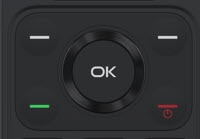
- From the main screen, press theOK button.Utilize the 5-way navigation pad to highlight and the OK button to select.
- SelectContacts.
- SelectVoice Mail.
- Press theOK button.
Edit Voicemail Number
- From the main screen, press theOK button.Utilize the 5-way navigation pad to highlight and the OK button to select.
- SelectContacts.
- SelectVoice Mail.
- Press theright soft key
to choose Edit.
- Navigate to then selectMobile phone.
- Press theBack keyto remove unwanted numbers, enter the preferred numbers then selectOKto save.To ensure correct dialing, only use your 10-digit mobile number or *86 as your Voicemail number.
Access from a Different Phone or when Outside the Verizon wireless coverage area
- Call your 10-digit mobile number.If dialing from an international location, refer to Place an International Call for additional assistance.
- As soon as the Voicemail greeting starts, press the# keythen enter the Voicemail password.If prompted, re-enter the mobile number.