TCL FLIP Pro - Adjust Volume
Here's how to manage volume controls if your FLIP Pro doesn't vibrate or make sounds when receiving calls, texts or emails.
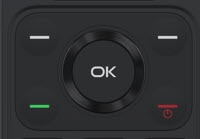
- From the main screen, press theOK button.Utilize the 5-way navigation pad to highlight and the OK button to select.
- Navigate: .
- Choose from the following to adjust:
- Media
- Ringtones & Alerts
- Alarm
- Press the left or right on the navigation pad to decrease or increase the volume.