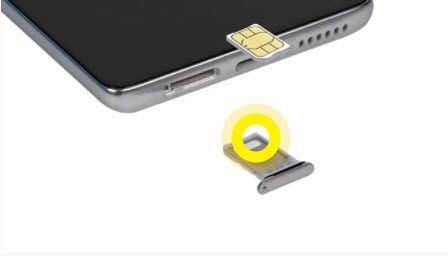
MOTOROLA EDGE+ 5G UW - Insert / Remove SIM Card
Here's how to properly insert or remove a SIM card for your motorola edge+ 5G UW.
Instructions on inserting / removing your SIM can help with activation issues / errors, browser connection problems and a blank or frozen screen.
Don't attempt to insert or remove the SIM card while your motorola edge+ 5G UW is powered on. Doing so may harm the SIM card and / or the device.
- Ensure the device is powered off.
- Using the provided tool, pop out the SIM card tray then do one of the following:
- Insert SIM cardEnsure the gold contacts are facing up, then press in on the card to lock into place.
- Remove SIM cardOnce the tray is removed, lift the SIM card from the tray.
- Push the tray back into the device.