Verizon Internet Gateway View Device Info
Verizon Internet Gateway
View Device InfoHere's how to view device info (e.g., Wi-Fi key, WPS, etc.) on the Internet Gateway.
Before you begin
This content is for the following Internet Gateway models:
- ASK-NCQ1338
- ASK-NCQ1338FA
- ARC-XCI55AX
View via Admin Page
- Access the router admin page.
- The router Home screen displays with info for Status, Devices, Wi-Fi, etc.
- ClickStatusfor more detailed info.
View via Device
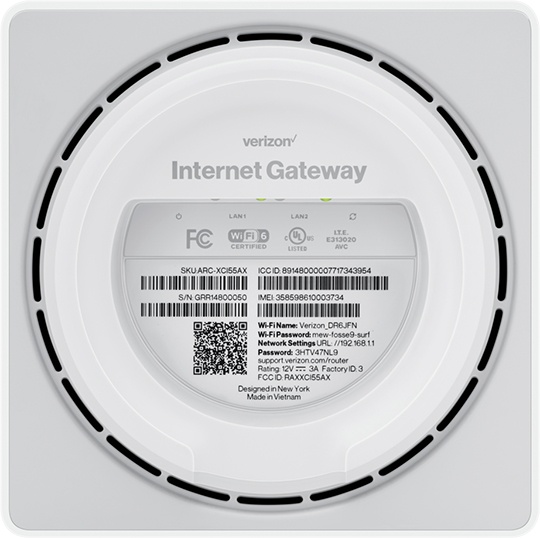
- The following info can be found on a label on the bottom of the router:
- SKU (stock keeping unit)
- SN (serial number)
- ICCID (SIM card number)
- IMEI (device ID)
- Wi-Fi Name
- Wi-Fi Password
- Network Settings
- URL
- Password