TCL LINKZONE 5G UW - Insert / Remove SIM Card
Here's how to properly insert or remove a SIM card for your LINKZONE 5G UW.
Don't attempt to insert or remove the SIM card with the battery still installed on your LINKZONE 5G UW. Doing so can harm the SIM card and/or the device.
- Ensure the device is powered off.
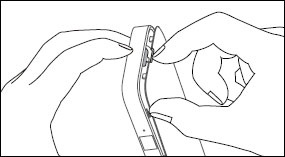
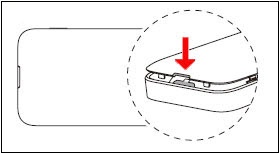
- Remove the battery cover.Place a fingernail in the notch on the top or bottom then lift the back cover.
- Remove the battery then do one of the following:
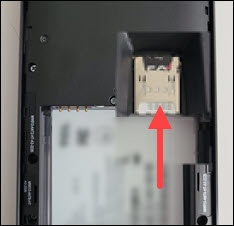
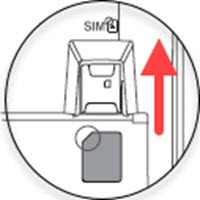
- Insert SIM cardEnsure the gold contacts are facing down then gently slide the card in until it won't go further and is securely under the metal SIM holder.
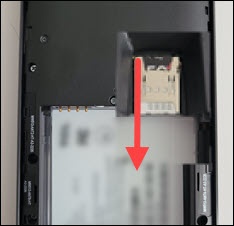
- Remove SIM cardSlide the SIM card out of the SIM card slot.
- Re-insert the battery (begin with step 2).
- Replace the battery cover.Press down along the edges until it snaps into place.