TCL LINKZONE 5G UW - View Device ID
Here's how to find the device ID (IMEI) for your LINKZONE 5G UW.
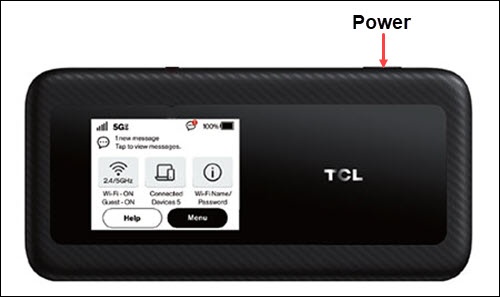
- From the Home screen, tapMenu(lower-right).If necessary, press thePower button(top-right edge) to turn on the display.
- TapAbout.
- View the IMEI.
You can also view the IMEI by doing any of the following:
- Remove the battery then view the IMEI printed inside the battery compartment.
- Access the Admin Web Interface then navigate: .
- View it online via the My Verizon website.