Session status messages
Session Status

Due to inactivity, your session will end in approximately 2 minutes. Extend your session by clicking OK below.

Due to inactivity, your session has expired. Please sign in again to continue.

TCL LINKZONE 5G UW - View Phone Number

2026-10-09 20:56:03.545

TCL LINKZONE 5G UW - View Phone Number

Here's how to view the mobile number for your LINKZONE 5G UW.
  1. From the Home screen, tap
    Menu
    (lower-right).
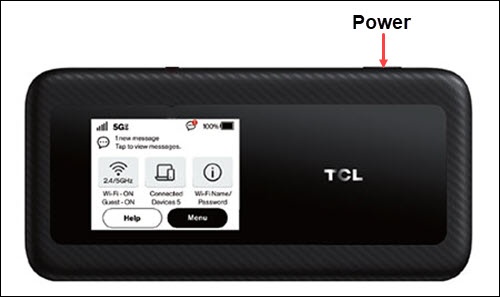
    If necessary, press the
    Power button
    (top-right edge) to turn on the display.
    Power button
  2. Tap
    About
    .
  3. View the Mobile Device Number.
You can also view the mobile number via the Admin Web Interface by navigating
Network Settings
About (left pane)
Device Information
then viewing the Mobile Device Number.