Verizon Receiver (LV65) Install / Set Up 5G Home - Window Mount
Verizon Receiver (LV65)
Install / Set Up 5G Home - Window MountProperly mounting your Verizon Receiver (LV65) on a window ensures strong 5G signal reception for seamless home internet speeds.
Before you begin
Mounting for the 5G Internet Gateway is performed within the My Verizon app for Google™ Android™ and Apple® iOS.
Steps
- Make sure to complete pairing and test for indoor signal prior to mounting the Verizon Receiver (LV65).
- Using the provided wipes, clean the window above the marker you placed then tapContinue.
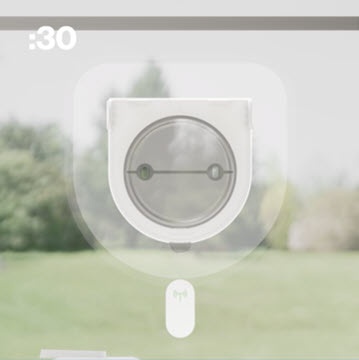
- Peel and firmly press the gecko tape plate evenly to the window for a full 30 seconds with the curved part at the bottom then tapContinue.Watch this video for a demo.Do not touch the exposed gecko tape before mounting or press the window too hard.
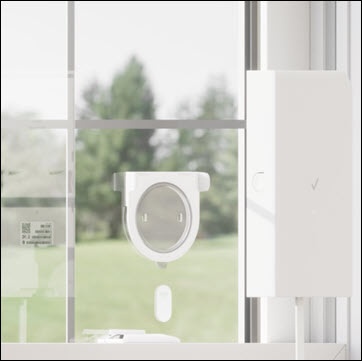
- Attach the receiver to the bracket by aligning the slots on the sides of the receiver to the bracket clips. Then push the receiver onto the bracket until it clicks into place then tapContinue.Watch this video for a demo.
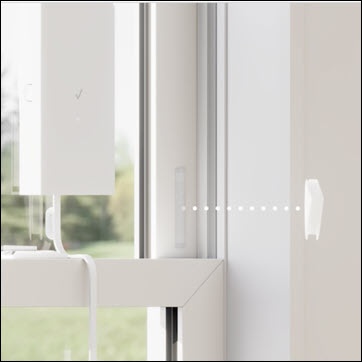
- Expose the window wedges' adhesive backing and stick them to the window frame to prevent the window from hitting the device then tapContinue.Watch this video for a demo.
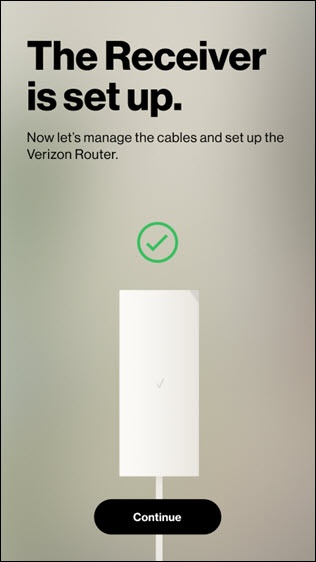
- Use the provided cable guides to tidy up any extra cord slack then tapContinue.Watch this video for a demo.
- Review the following then tapConfirm:
- The receiver is mounted vertically.
- It's securely attached to the bracket.
- It's displaying a solid white light.
- Confirm 5G signal and internet are enabled then tapContinueto finish the setup.This may take up to 2 minutes.If prompted, sign in to My Verizon.
- Ensure you route and manage cables properly.