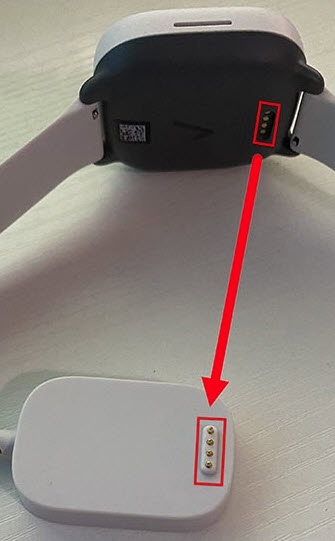
Gizmo Watch 3 - Clean Charging Port
Here's how to clean the charging port for your Gizmo Watch 3 if your device won't charge.
If your Gizmo Watch 3 won't charge, the steps below may help.
- Power off the watch and unplug the charger from the power source.
- Ensure the connector plates and magnetic charging points are clean.If necessary, clean the charging points with a cotton swab, microfiber cloth or an alcohol wipe cloth to remove dirt and debris.Don't attempt to charge until the connection points are fully dry.