Gizmo Watch 3 - Adventure - Factory Data Reset (Powered On)
Here's how to factory / hard reset your Gizmo Watch 3 - Adventure if it has a blank screen or you can't make or receive calls.
- Attach the Gizmo Watch 3 - Adventure to the charger.
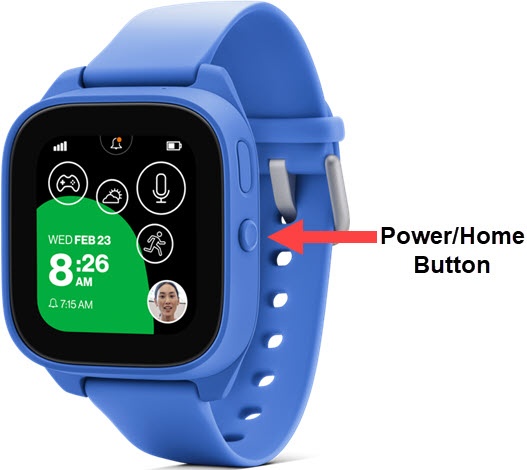
- Press thePower / Home button4 times.
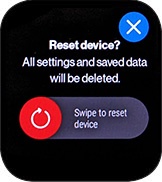
- Slide theReset Device switchright to reset the Gizmo Watch 3 - Adventure.The Gizmo Watch 3 - Adventure resets and reactivates, prompting you to download the GizmoHub app.Allow several minutes for the factory data reset and reboot processes to complete.If needed, set up your device.