Session status messages
Session Status

Due to inactivity, your session will end in approximately 2 minutes. Extend your session by clicking OK below.

Due to inactivity, your session has expired. Please sign in again to continue.

Power the Device On / Off - Chromebook

2026-11-07 05:25:47.013

Power the Device On / Off - Chromebook

The Chromebook automatically turns on when opening the lid (display).
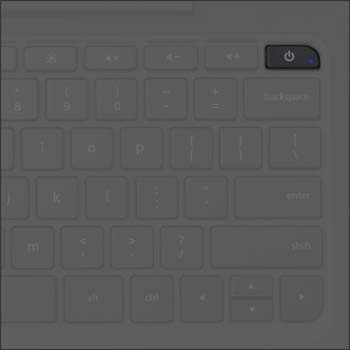
  1. If the lid (display) is open but power is off, press the
    Power button
    to turn on.
    Power button
  2. To turn off, press and hold the
    Power button
    past the lock screen (approximately 3 seconds) then release.