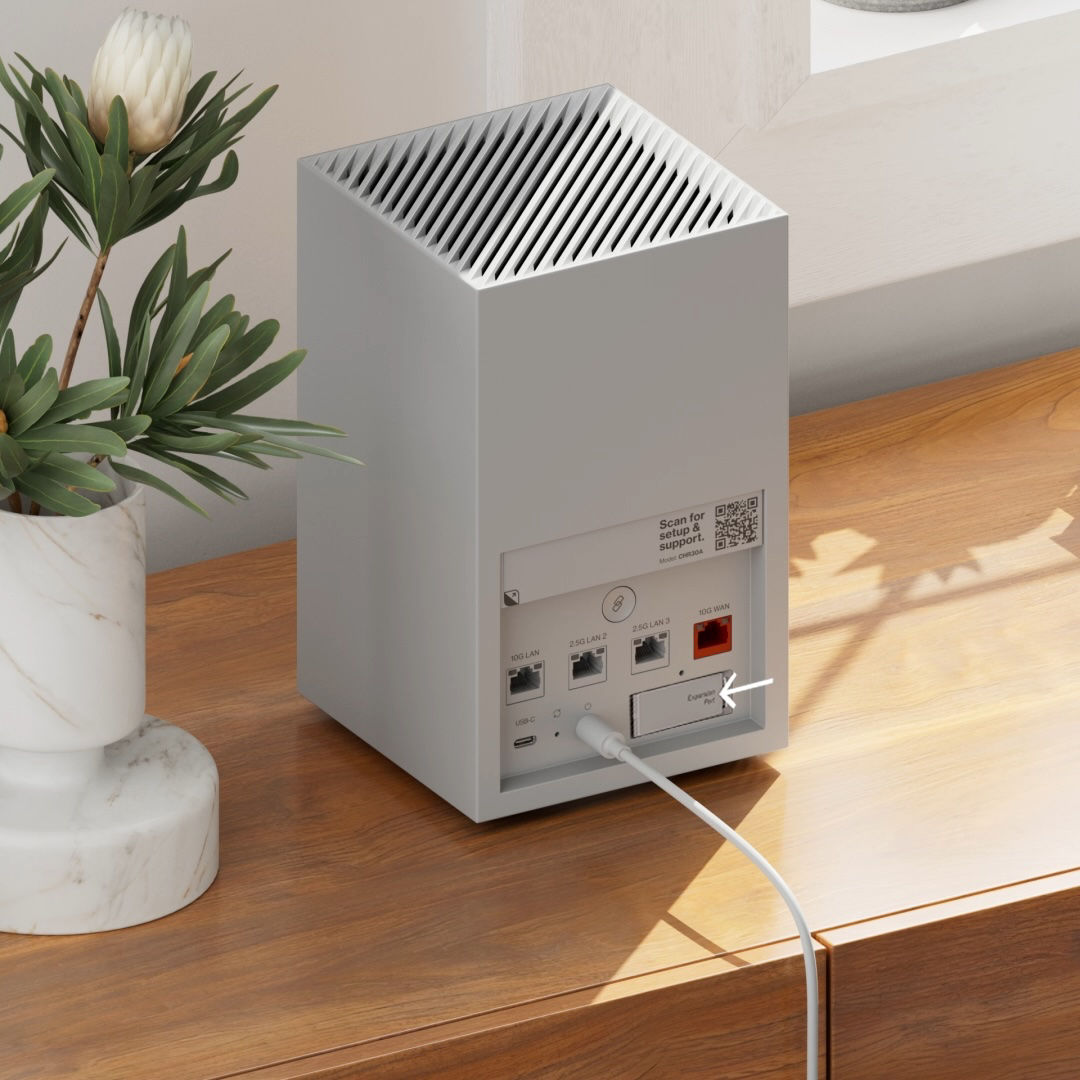
| 1. Find the Expansion Port cover on the back of the Wi-Fi Access Point. Next, remove the cover by pushing in on the right side until it pivots out. Then, pull it until it snaps out. Note: Make sure the Wi-Fi Access Point is plugged into power and is properly set up. |
 |
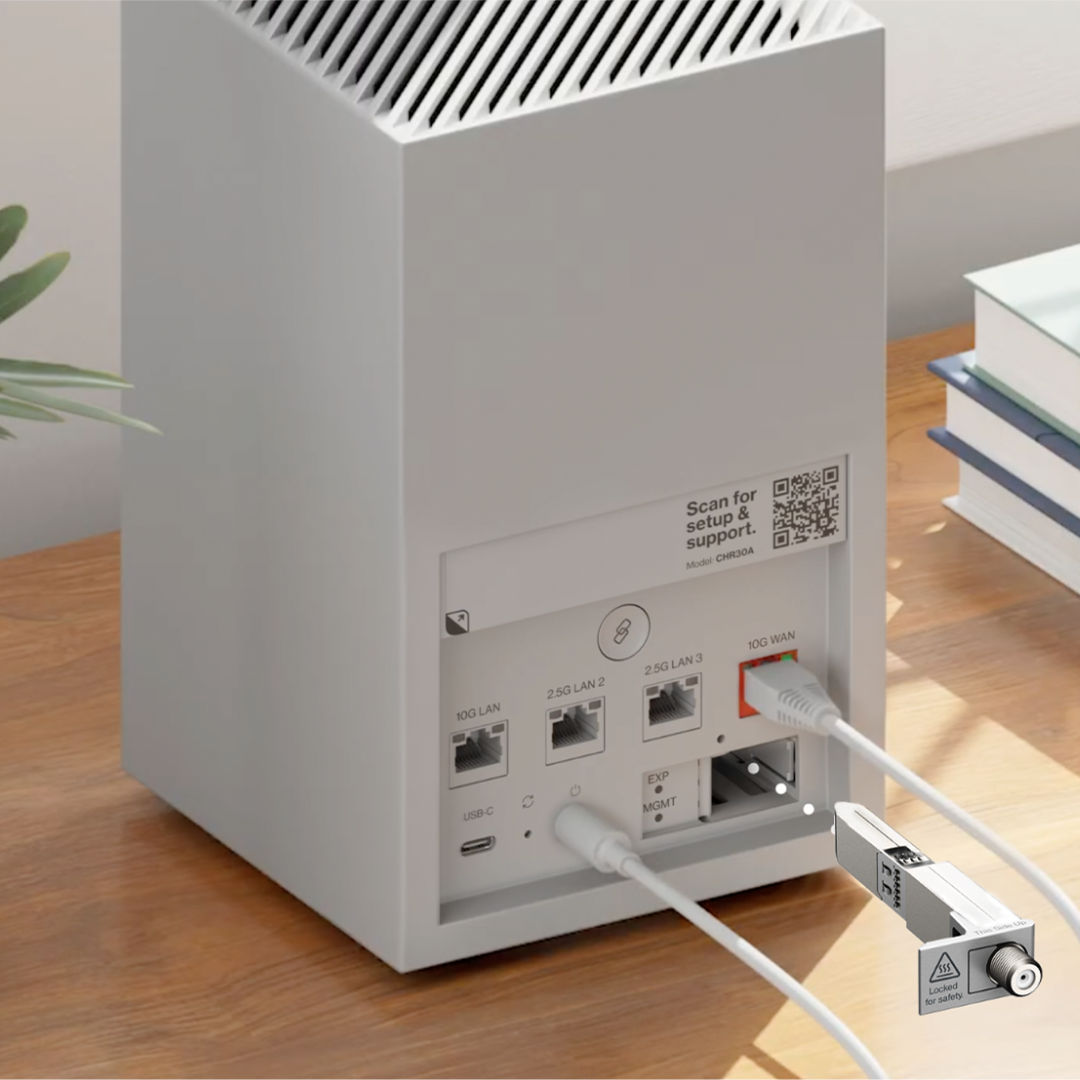
| 2. Grab the MoCA Expansion Module. Firmly insert it into the Expansion Port until it clicks and locks into place. Make sure the label "This side up" on the MoCA Expansion Module is facing up. |
 |
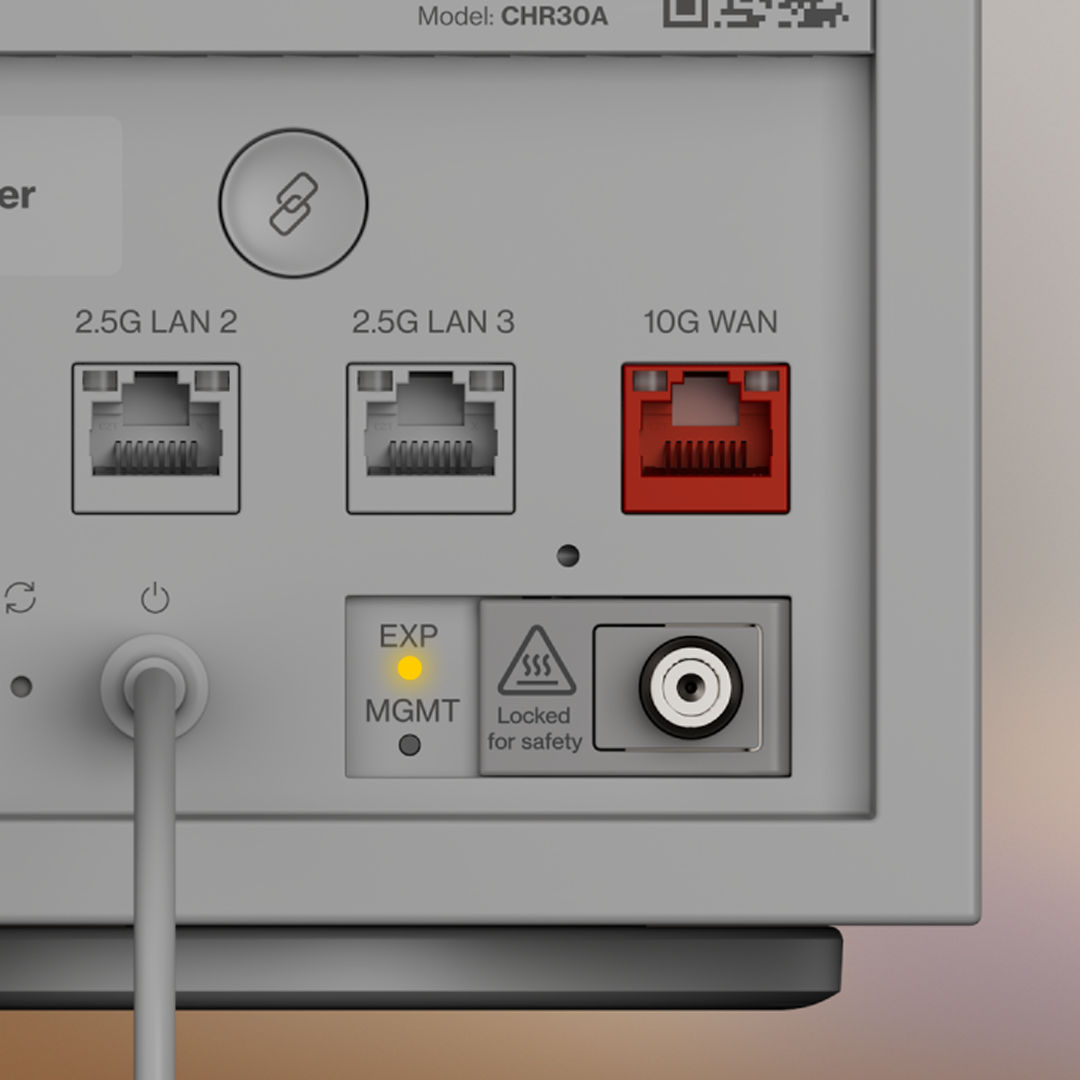
| 3. Once the MoCA Expansion Module is inserted, the LED light below "EXP" should turn solid yellow. If the LED light is red, check the LED indication section for more information. If the LED light is off, make sure the Wi-Fi Access Point is plugged into power. |
 |
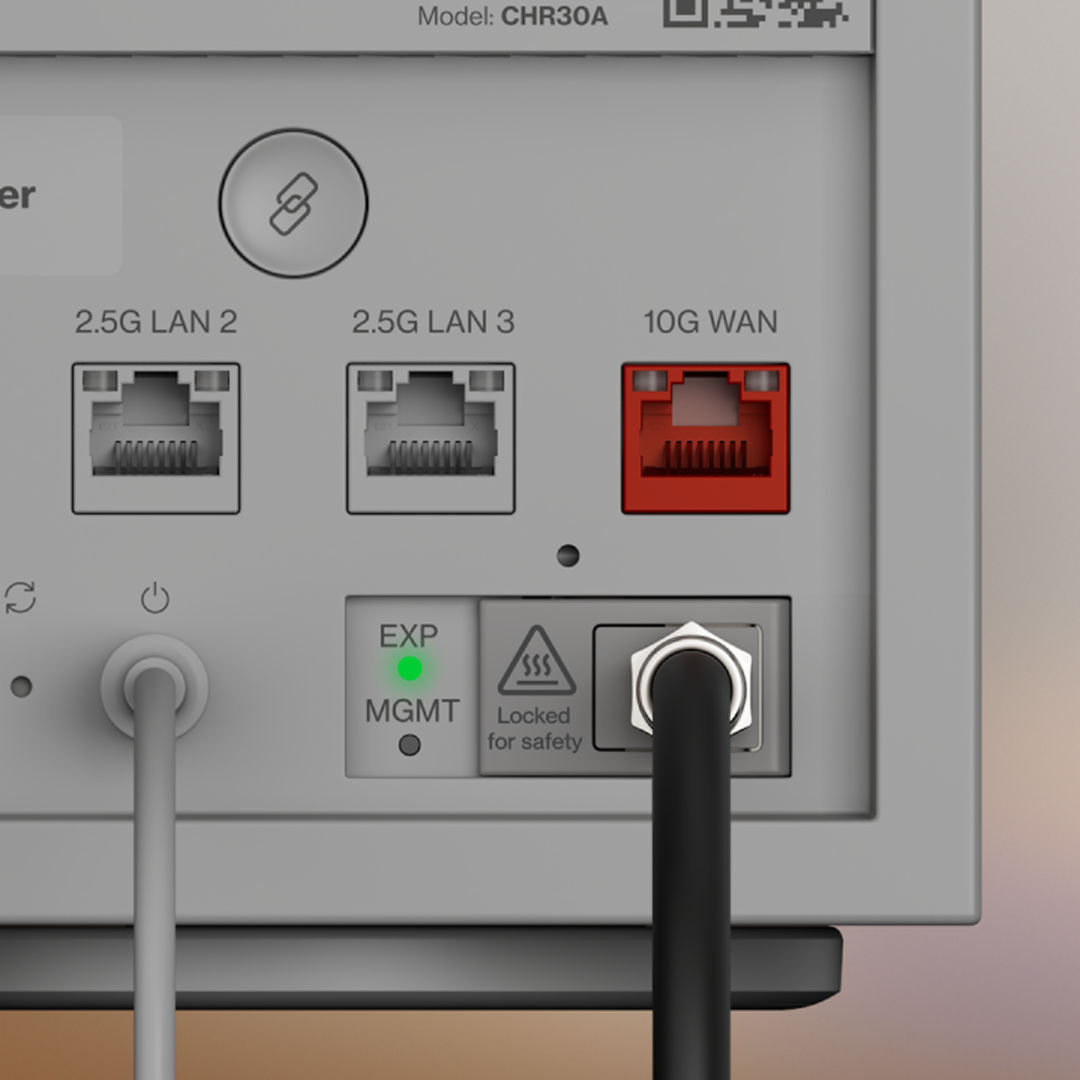
| 4. Success! You can now connect a coax cable to the Wi-Fi Access Point through the MoCa Expansion Module. Once a coax cable is connected from the Wi-Fi Access Point to another active coax port, the LED light below "EXP" will turn solid green. If there’s no light, make sure the Wi-Fi Access Point is plugged into power. |
 |
You can now connect coax-supported equipment and devices, such as:
- Video Media Server
- Wall ports
- Extenders
- Personal devices