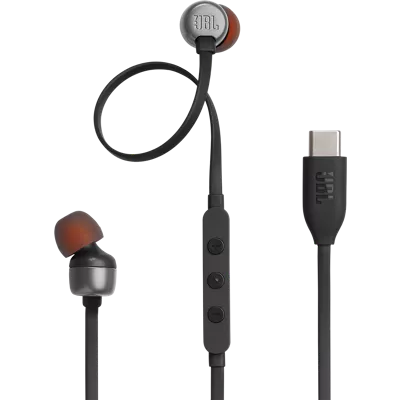
47 reviews
92% of reviewers recommend this product.
a34gjdjeb . 1 month ago
jbl.com Originally posted on jbl.com
predrag . 3 months ago
Customer Support - 3 months ago
Thanks for your review on our JBL Tune 310C USB. Sound quality can be affected by the source device. We are always looking for ways to improve our products. Your input is important, and we will make sure your feedback reaches the right department.jbl.com Originally posted on jbl.com
SKU#
JBLT310CBLKAM
a34gjdjeb . 1 month ago
jbl.com Originally posted on jbl.com
predrag . 3 months ago
Customer Support - 3 months ago
Thanks for your review on our JBL Tune 310C USB. Sound quality can be affected by the source device. We are always looking for ways to improve our products. Your input is important, and we will make sure your feedback reaches the right department.jbl.com Originally posted on jbl.com
MariaOT . 3 months ago
jbl.com Originally posted on jbl.com
Nottogood . 4 months ago
Customer Support - 4 months ago
Thanks for bringing this to our attention. We'd like to work with you directly to address the issues you're experiencing with your JBL Tune 310C USB. Please note that our unit has a 1-year warranty, and you may file a warranty claim or contact our customer support team for further assistance.jbl.com Originally posted on jbl.com
No Rush . 4 months ago
Customer Support - 4 months ago
We'd like to work with you directly to address the issues you're experiencing with your unit. Please contact our customer support team via this link: https://support.jbl.com/us/en/#contactjbl.com Originally posted on jbl.com
itzYaManCAM . 6 months ago
jbl.com Originally posted on jbl.com
rubyshock . 6 months ago
Customer Support - 6 months ago
Thanks for bringing this to our attention. We'd like to work with you directly to address the issues you're experiencing with your JBL Tune 310C USB. If needed, we'd also like to get more information so we can check your options. Please contact our customer support service via our official website or toll-free hotline.jbl.com Originally posted on jbl.com
clarix dinamix . 6 months ago
Customer Support - 6 months ago
Thanks for your feedback. Below are some troubleshooting steps that might help isolate the issue with your JBL Tune 310C. First, let’s determine if the source device (Phone, iPad, Computer, etc.) is giving the problem. Please try connecting to a different source using the same wire and headphones. If the problem is resolved, this means that the jack in your phone is no longer working properly. Next, flex the wire where it joins with the source device. If there is a change in dropouts, this means that the wire is bad. For further assistance, please contact us.jbl.com Originally posted on jbl.com
Agnik . 7 months ago
Customer Support - 7 months ago
Thank you for informing us about this. We'd like to work with you directly to address the issues you're experiencing with your JBL Tune 310C. If needed, we'd also like to get more information so we can check your options. Please contact us at (800) 336-4525. We are available Monday to Friday from 9:00 am to 11:00 pm (ET) and Saturday to Sunday from 9:00 am to 5:00 pm (ET).jbl.com Originally posted on jbl.com
eugenszep123 . 10 months ago
jbl.com Originally posted on jbl.com
Jaren . Mar 9, 2025
Will this work with an adapter for aux?
Thanks for your inquiry Jaren. Please review the Compatibility Guide below for confirmation. https://www.jbl.com/on/demandware.static/-/Sites-masterCatalog_Harman/default/dwc59dc37e/pdfs/JBL_Tune_310C_USB-C_Compatibility_Guide_English.pdf -Christy
Dani . Dec 6, 2024
Compatible with laptop??
Ravi . Dec 5, 2024
Can i plug into iphone 16 pro?
According to the manufacturer, these are only compatible with the iPhone 15 and iPhone 15 Pro. View the full compatibility guide here: https://www.jbl.com/on/demandware.static/-/Sites-masterCatalog_Harman/default/dwc59dc37e/pdfs/JBL_Tune_310C_USB-C_Compatibility_Guide_English.pdf -Joseph