19 reviews
8% of reviewers recommend this product.
Bad product from start to . 3 months ago
greg of the natsarim . 11 months ago
The Verizon Team - 11 months ago
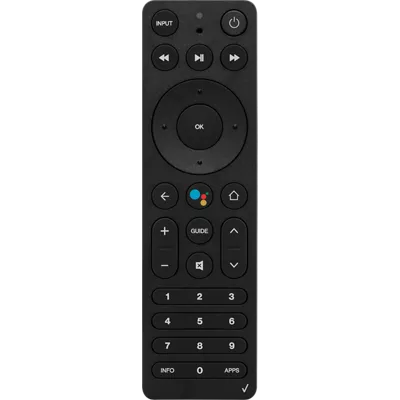
Thanks for taking the time to leave us a review. We're sorry to hear about the issues you've been experiencing with your Stream TV Voice Remote. Please report any feedback or concerns through the mobile app (settings > help > report a problem) or send an email to android-appsupport@verizon.com. Our support team can definitely help. Thank you.SKU#
RC4513102/01BRP
Bad product from start to . 3 months ago
greg of the natsarim . 11 months ago
The Verizon Team - 11 months ago
Thanks for taking the time to leave us a review. We're sorry to hear about the issues you've been experiencing with your Stream TV Voice Remote. Please report any feedback or concerns through the mobile app (settings > help > report a problem) or send an email to android-appsupport@verizon.com. Our support team can definitely help. Thank you.martin . 11 months ago
Matt Nelson . 1 year ago
Anon . 1 year ago
Richard . 2 years ago
The Verizon Team - 2 years ago
Hey there, Richard. We're sorry to hear that. We value your input, and we'll make sure to share it internally. Feel free to reach out to us at android-appsupport@verizon.com with any additional feedback or concerns.Leppy . 2 years ago
synch new remote . Nov 22, 2025
i just bought a new remote. where can i find instuctions on how to use it?
Cathy . Oct 22, 2024
how do I pair the Verizon stream controller to my TV?
To pair a Verizon Stream TV Voice Remote to a TV, you can try the following steps: Put the Stream TV into pairing mode by pressing and holding the top button for three seconds When prompted on the TV, press and hold the Play/Pause and 0 buttons on the remote simultaneously for six seconds Release the buttons to enter pairing mode A blue LED will blink above the Play/Pause button on the remote Allow up to a minute for the process to complete If the "Pairing your remote" screen doesn't display, you can try placing the Stream TV in Bluetooth discovery mode. You can do this using the existing voice remote or the remote control app. You can also pair your remote from the Stream TV Home screen by following these steps: Select the Settings menu in the upper-right corner Scroll to the right to select View more Select Remote & Accessories You can also use your smartphone as a remote for Stream TV by downloading the Android TV Remote Controls app -Joe