Verizon LTE Internet and Home Phone - Insert / Remove Battery
Here's how to insert / remove the battery for your LTE Internet and Home Phone router.
- When removing the battery, ensure the device isn't connected to any device or power source. Never use tools, knives, keys, pens, or any type of object to force the battery cover open or to remove the battery, as doing so could puncture it.
- The former name of this device is the Verizon 4G LTE Broadband Router with Voice.
- Ensure the device is powered off.
- Remove the battery cover.Press your finger against the battery cover removal tab on the underside of the device then lift and remove cover.
- Do one of the following:
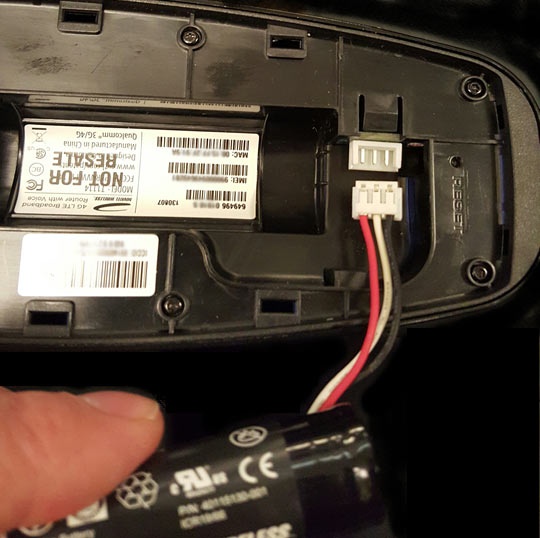
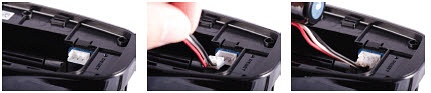
- Insert batteryPlug in and insert the battery and keep the red cable to the center of the router then ensure the metal contacts are facing up.
- Remove batteryUnplug the cable from the device and lift the battery out of the device.
- Replace the battery cover.Set cover on the device where the notches align, then press on the cover until it clicks into place and is flat across the entire bottom surface.