Push to Talk Plus Contact Management Tool - Manage Templates
Here's how to manage templates with the Push to Talk Plus contact management tool.
- Sign in to the Push to Talk admin page via My Business.
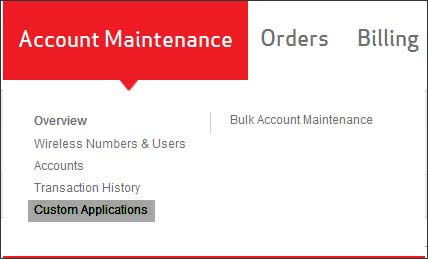
- From the Account Maintenance tab, clickCustom Applications.
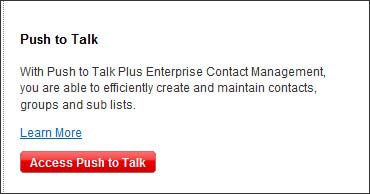
- ClickAccess Push to Talk.
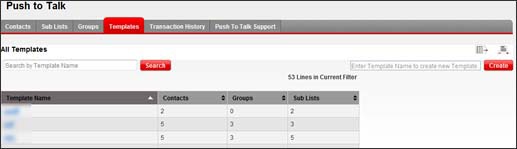
- Click theTemplatestab.Search, Create & Apply (Templates) are the available options.
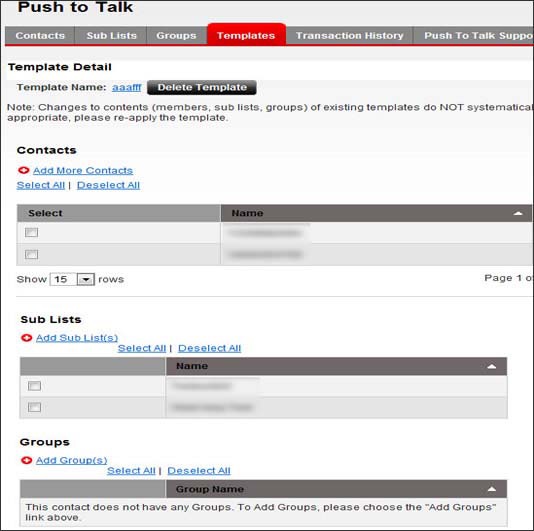
- Click a template link to view details and to perform the following action(s) as appropriate:
- Click a name to change the name.
- ClickAdd Contacts, select the contacts then clickDone.
- ClickAdd Sub List(s), select the sub list(s) then clickSubmit.
- ClickAdd Group(s), select the group(s) then clickSubmit.
- ClickRemove Selectedto remove the selected options.