Verizon Jetpack® 4G LTE Mobile Hotspot MiFi® 6620L - LED Status Indicators
Here's how to view the LED status indicators on your MiFi 6620L.
Below are the various display Indicators appear on your device:
Device
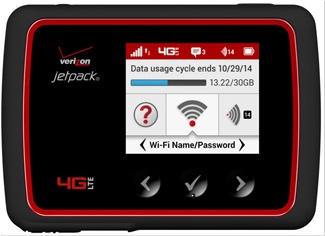
Device Display
This is the Jetpack display with all of the indicators visible. You won't see all the indicators on at the same time.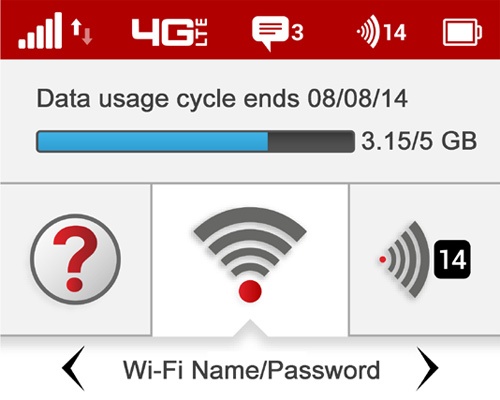
No Icons
The Jetpack is off, not receiving power or the screen is in power saving mode.
Network Signal Strength
More bars indicate more signal strength.
Activity Indicator
If this icon displays, data is being transferred between your Jetpack and connected devices.
Connected Devices
If this icon displays, it shows the number of devices connected to your Jetpack.
Roaming Indicator
If this icon displays, your Jetpack is connected to a network outside the home network area.
Messages
If this icon displays, you have unread Verizon system messages.
Battery Charge Indicator
This displays remaining battery power.
Battery AC Charging
This displays when the Jetpack is connected to AC power.
Battery USB Charging
This displays when another device is connected to the Jetpack is charging via a USB cable.