Check for Water Damage - LG
Here's how to help determine if your LG device has liquid damage.
- Prepaid service customers: Visit a Verizon store to order warranty replacements. Orders for prepaid warranty issues can't be processed via Customer Service.
- Standard service customers: If you need to replace your device under warranty and the device is water damaged, broken, or has unreasonable wear and tear, you could be assessed a Damaged Device Fee. If damage is found:
- Several replacement options may be available.
- If you have a LifeProof case, visit this support page. If you have a different protective case, contact the manufacturer to see if they have any guarantees against damage.
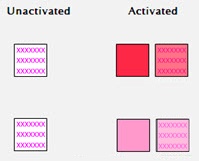
LG uses a white field with pink or red "X" marks to indicate a device that has had no liquid contact. When the indicator comes in contact with liquid, the "X" marks become pink or red smudge marks across the white field.
Removable Battery
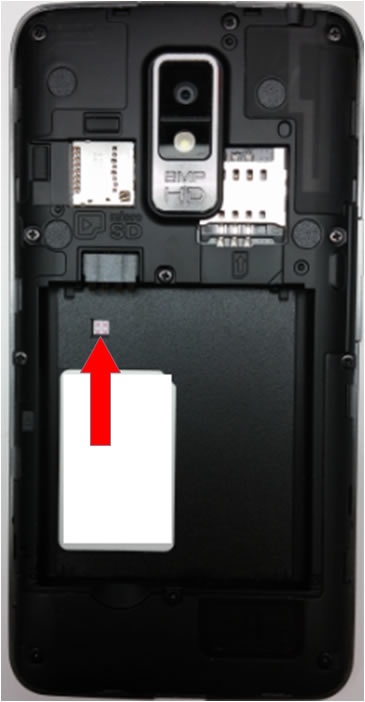
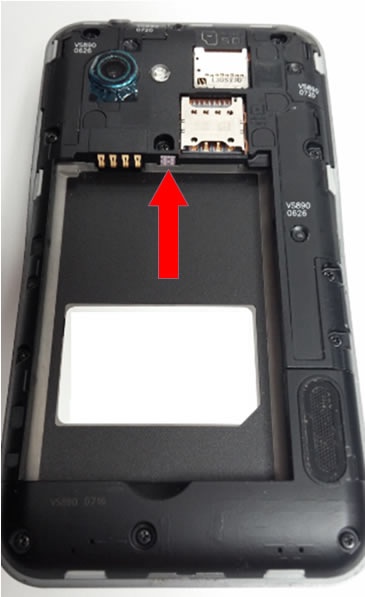
- The indicator is located in the battery tray either on the face or on the side.
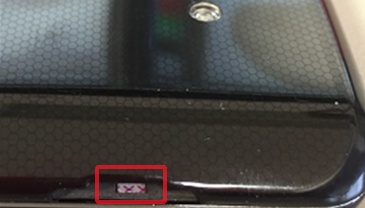
Non-Removable Battery
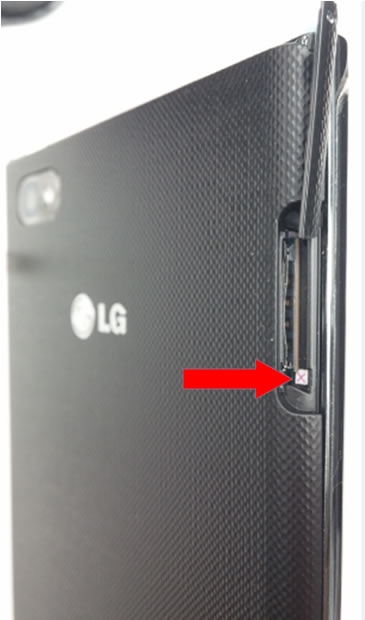
- The indicator is located in the SIM card area either by the SIM door or underneath the SIM tray and can best be viewed with the screen facing down.If applicable, remove the SIM tray to view indicator.