DMZ Settings - Verizon Jetpack® 4G LTE Mobile Hotspot - AC791L
To test your Verizon Jetpack - AC791L firewall settings, view this info.
If you need to test your Jetpack's firewall settings, view this info.
Demilitarized Zone / Data Management Zone (DMZ) is an advanced feature. For additional assistance, contact IT support. To obtain settings, contact the app manufacturer.
- Access the Admin Web Interface.
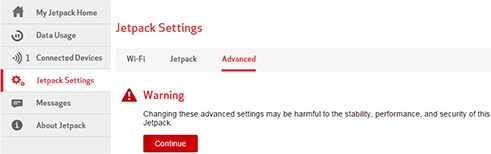
- From the left menu, clickJetpack Settings.
- From the Advanced tab, clickContinue.
- ClickFirewall.
- From DMZ, click the slider to enable
or disable
.
- If enabled, enter a DMZ (destination) IP Address (the IP address of the connected device to become the DMZ destination).
- ClickSave(located at the bottom).The save option only appears once a change is made.