LAN Settings - Verizon Jetpack® 4G LTE Mobile Hotspot - AC791L
To configure advanced LAN settings for your Verizon Jetpack - AC791L, view this info.
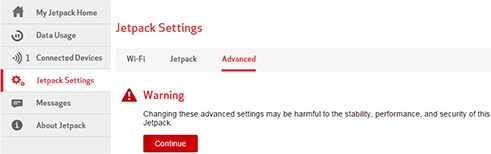
Changing advanced settings may be harmful to the stability, performance and security of the Jetpack. Contact your local IT administrator prior to altering any of these settings.
- Access the Admin Web Interface.
- From the left menu, clickJetpack Settings.
- From the Advanced tab, clickContinue.
- ClickLAN.
- Enter the desired information into the following fields:
- IP Address
- Subnet Mask
- Turn on DHCP server by sliding theswitchto enable
or disable
.
- DHCP address range
- DHCP lease time
- ClickSave(located at the bottom).The save option only appears after a change is made.