Windows - View Software Version
Here's how to view the software version your Windows OS device is running.
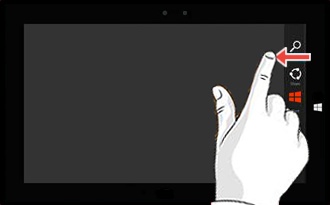
- From the right edge of the screen, swipe left to display the charms menu.If running Windows® 10, skip to step 3.
- TapSearch
.
- Entermsinfo32.exeinto the search field.For Windows 10, press and hold theStart icon
for 2 seconds, select
Searchfrom the list and entermsinfo32into the search field then skip to the note in step 5. - From the search results (located below the search field), tapmsinfo32(located in the top-left corner, under "Results").
- From the "System Information" window, view the "BIOS Version/Date".For Windows 10, while in the "System Summary", look at OS Name listed in right panel.
Windows 11
- Tap or click theStart icon
.
- Tap or clickSettings.
- Tap or clickSystem.
- Tap or clickAbout.
- In the 'Windows specifications' section, view the following:
- Edition
- Version
- Installed on
- OS build
- Experience