Samsung Gear S3 frontier / Gear S3 classic - Reply to an Email Message
Here's how to reply to email from your Gear S3 frontier / Gear S3 classic.
To perform the steps below, you must have an email account added to your companion smartwatch.
- From within the desired email, tapReply(scrolling to the end of the message may be required).
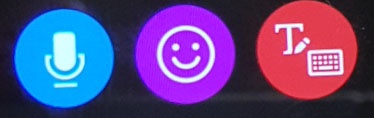
- Tap any of the following icons to select a reply method:Alternatively you can scroll down and tap one of available quick responses:
- Speak your reply
- Speak your response.
- Wait for your response to be turned into text.
- TapSEND.
- Reply with an Emoji
- Scroll up or down and tap the desired emoji.
- Write text by hand
- Use your fingertip to write out the message or turn the bezel to select letters.
- TapSend.