Verizon Messages (Message+) - 4G Basic Phone - Delete Messages
Here's how to delete messages via Verizon Messages (Message+) from your 4G Basic phone.
Delete a Single Message
- From the main screen, selectMenu.Utilize the 5-way navigation pad to highlight and the center button to select.
- Highlight then select a message thread.
- Press theright soft key
to choose Options.
- Highlight "Edit Messages", then press thecenter button.
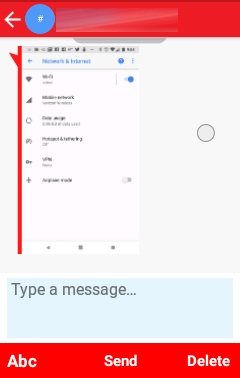
- Select the message to delete.Utilize the 5-way navigation pad to scroll up or down to the applicable message.Message is selected if a check mark is present. Press thecenter keyto add or remove a checkmark.
- Press theright soft keyto choose Delete.
- To confirm, selectDelete.
 then select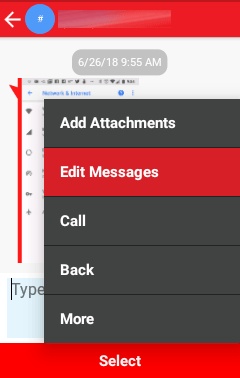
Delete Threads
- From the main screen, selectMenu.Utilize the 5-way navigation pad to highlight and the center button to select.
- Press theright soft key
- SelectSelect Threads.
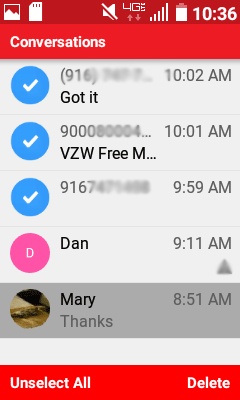
- Navigate to the applicable message thread(s) then press thecenter buttonto place a check mark next to the thread(s) you wish to delete.If needed, press the center button to unmark the selected thread(s) for deletion or press the left soft key to choose Unselect All.
- Press theright soft key
- SelectDeleteto confirm delete.