Global Modem USB730L - Restore Settings to Factory Defaults
If your USB 730L has trouble accessing the internet, view this info.
Restore Settings to Factory Defaults only if necessary as it removes all modified settings including Network Settings, Connection Preferences and Messages, etc. Default settings viewable on the Admin page.
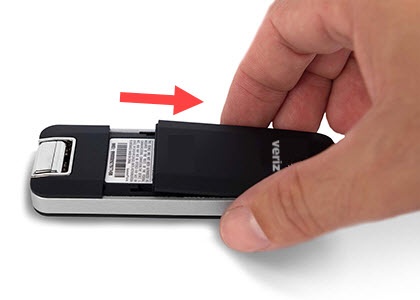
- Remove the back cover.This is the only way to complete a factory reset on this device.
- Connect the modem to a computer.
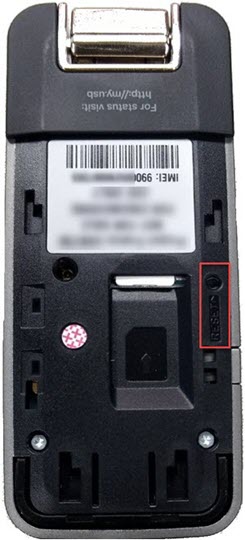
- Using a paperclip or similar object, press and hold theReset Button(located next to the SIM slot) for 3 seconds.The LED indicators turn off on the device, after approximately 30 seconds the "Status" LED turns solid green (if in a Verizon 4G LTE coverage area).
- Once the Status LED is blinking green, attempt to access a webpage.After restoring to factory defaults, adjust desired settings as needed via the Admin Page.