Global Modem USB730L - Check for Physical Damage
Here's how to check for liquid damage on your USB730L.
- Prepaid service customers: Visit a Verizon store to order warranty replacements. Orders for prepaid warranty issues can't be processed via Customer Service.
- Standard service customers: If you need to replace your device under warranty and the device is water damaged, broken, or has unreasonable wear and tear, you could be assessed a damaged device fee.
If damage is found several replacement options may be available.
Liquid Damage Indicator
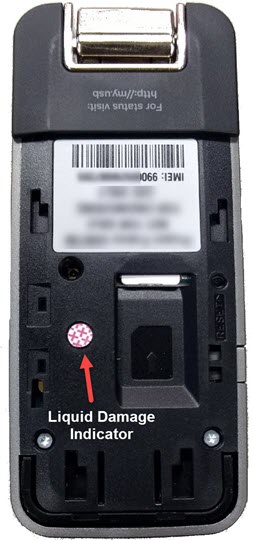
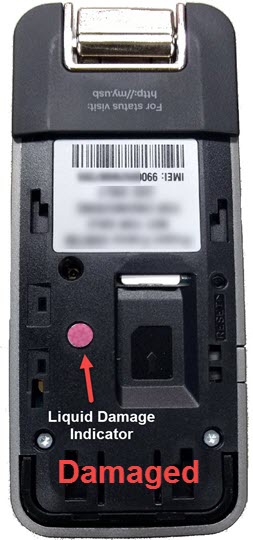
The indicator is located next to the SIM card tray:
- Liquid Damage Indicator (LDI) in white with red Xs means normal condition.
- Liquid Damage Indicator (LDI) in red/pink means liquid detected.