Kyocera DuraXV LTE - Adjust Backlight
Here's how to adjust the backlight on your DuraXV LTE.
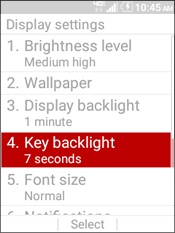
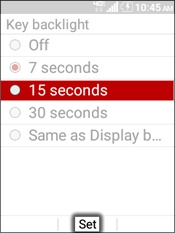
Display Backlight
- From the main screen, selectMenu.Utilize the 5-way navigation pad to highlight and the center button to select.
- SelectTools and Settings.
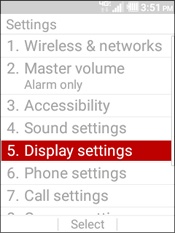
- SelectSettings.
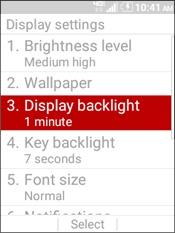
- SelectDisplay settings.
- SelectDisplay backlight.
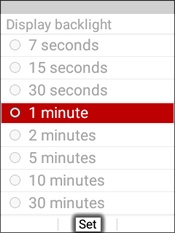
- Highlight a backlight option (e. g., 7 seconds, 30 seconds, etc.) then selectSet.
Keypad Backlight
- From the main screen, selectMenu.Utilize the 5-way navigation pad to highlight and the center button to select.
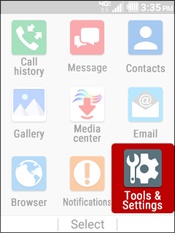
- SelectTools and Settings.
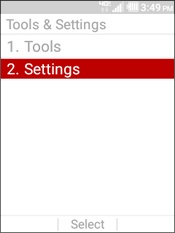
- SelectSettings.
- SelectDisplay settings.
- SelectKey backlight.
- Highlight a backlight option (e. g., 7 seconds, 30 seconds, etc.) then selectSet.