Kyocera DuraXV LTE - Check Voicemail
Here's info on how to access your Voicemail from your DuraXV LTE or a different phone.
For instructions to help navigate through the Voicemail system, check out this User Guide.
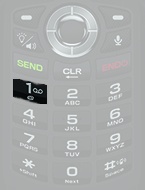
Speed Dial Number
- From the Home screen, press and hold the1 key.
Menu Option
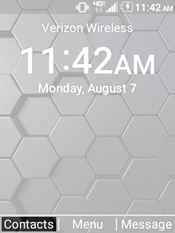
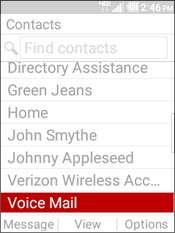
- From the Home screen, selectContacts.
- HighlightVoice Mail.
- Press theSendkey.
Edit Voice Mail Number
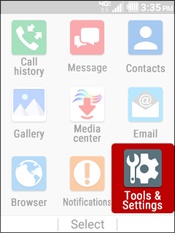
- From the Home screen, selectMenu.Utilize the 5-way navigation pad to highlight and the center button to select.
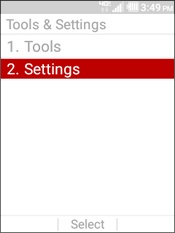
- SelectTools and Settings.
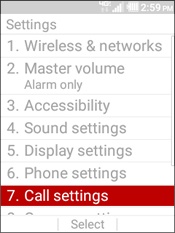
- SelectSettings.
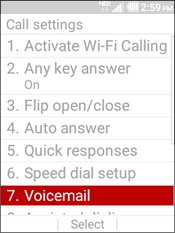
- SelectCall settings.
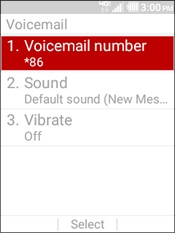
- SelectVoicemail.
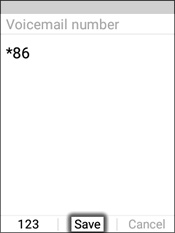
- SelectVoicemail number.
- Press theCLR keyto remove unwanted numbers, enter the preferred numbers then selectSave.To ensure correct dialing, only use your 10-digit mobile number or *86 as your voicemail number.To add a wait or pause:
- Press theleft soft keyto choose numbers.
- SelectSymbols.
- Select an option:
- Wait.The device waits until the SEND key is pressed a second time then continues to dial additional digits.
- Pause.The device pauses 2 seconds then continues to dial additional digits.
- SelectSave.
Access from a Different Phone or when Outside the Verizon coverage area
- Call your 10-digit mobile number.If dialing from an international location, refer to Place an International Call for additional assistance.
- As soon as the Voicemail greeting starts, press the# keythen enter the Voicemail password.If prompted, re-enter the mobile number.