Kyocera DuraXV LTE - Add Email Account
Here's how to add an email account to your DuraXV LTE.
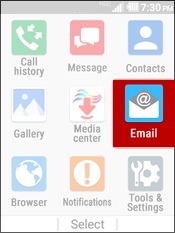
- From the main screen, selectMenu.Utilize the 5-way navigation pad to highlight and the center button to select.
- SelectEmail.
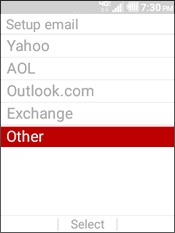
- Select the email account type you would like to add.If adding an additional email account:
- Press theright soft keyto choose Options.
- SelectAccount.
- Press theleft soft keyto choose Add.
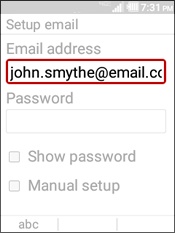
- Enter the username for the email account.
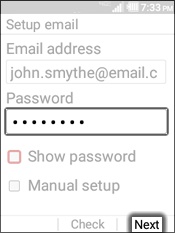
- Enter the password then press theright soft keyto select Next.If preferred, navigate to Show Password then selectCheckto show password as it's being entered.
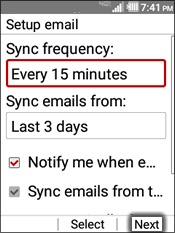
- If preferred, edit the following settings then press theright soft keyto choose Next:
- Sync frequency
- Sync emails from
- Notify me when email arrives
- Sync emails from this account
- Automatically download attachments over Wi-Fi
- Only download attachments over Wi-Fi
- Signature
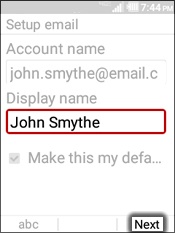
- Edit the display name (if desired) then press theright soft keyto choose Next.