Kyocera DuraXV LTE - Auto Receive Messages
If your DuraXV LTE is not receiving multimedia (picture / video) messages on your DuraXV LTE, view this info.
If you're not receiving picture / video messages, follow the steps below to ensure 'Auto-retrieve' is turned on.
- From the main screen, select Menu.Utilize the 5-way navigation pad to highlight and the center button to select.
- SelectMessage.
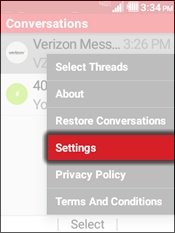
- Press theRightsoft keyto choose Options.
- SelectSettings.
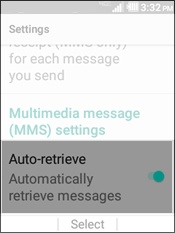
- SelectAuto-retrieve.
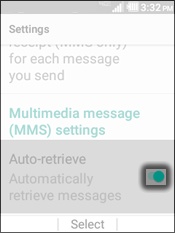
- Press theCenter buttonon the 5-way navigation pad to enable or disable.Enabled when the switch is green.