Kyocera DuraXV LTE - Manage TTY Settings
To change the TTY settings on your DuraXV LTE, check out this info.
When TTY (teletypewriter) settings are enabled, you can use your phone with a TTY device if you're deaf or hard of hearing.
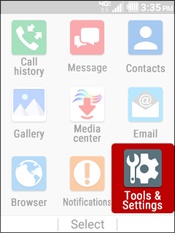
- From the main screen, selectMenu.Utilize the 5-way navigation pad to highlight and the center button to select.
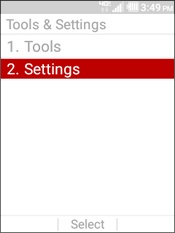
- SelectTools & Settings.
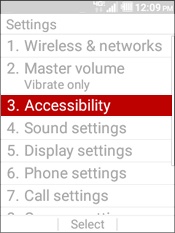
- SelectSettings.
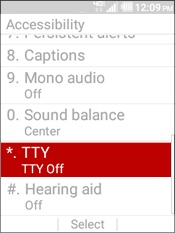
- SelectAccessibility.
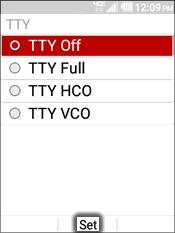
- SelectTTY.
- Highlight a setting then selectSET.
- TTY Off
- Disables all TTY settings
- TTY Full
- Enables all TTY settings
- TTY HCO
- Enables HCO (Hearing Carry Over)
- TTY VCO
- Enables VCO (Voice Carry Over)