Kyocera DuraXV LTE - Manage Wireless Emergency Alerts
To manage emergency alerts (e.g., AMBER Alerts, etc.) for your DuraXV LTE, view this info.
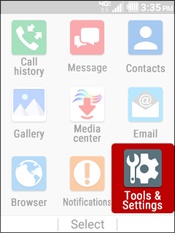
- From the main screen, selectMenu.Utilize the 5-way navigation pad to highlight and the center button to select.
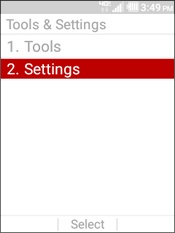
- SelectTools & Settings.
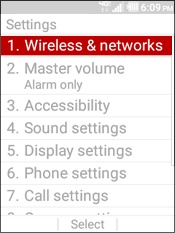
- SelectSettings.
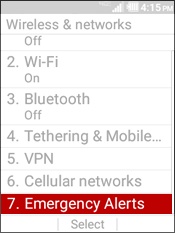
- SelectWireless & networks.
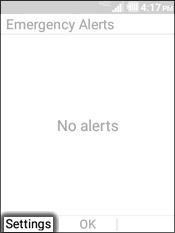
- SelectEmergency Alerts.
- Press theleft soft keyto choose Settings.
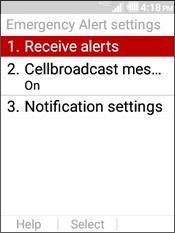
- Select an option:
- Receive alerts
- Select the desired options:
- Extreme Alerts
- Severe Alerts
- AMBER Alert
- Press theleft soft keyto choose Done when finished.
- Cellbroadcast message
- Highlight an option then selectSet.
- On
- Off
- Notification settings
- Select an option:
- Notifications
- Highlight an option then selectSet.
- On
- Off
- Sound
- Highlight an option then selectSet.
- On
- Off
- Vibrate
- Highlight an option then selectSet.
- On
- Off
- Alert reminder
- Highlight an option then selectSet.
- Once
- Every 2 minutes
- Every 15 minutes
- Off
- Speak alert message
- Highlight an option then selectSet.
- On
- Off