Allow / Block Browser Cookies - Microsoft® Edge
If you can't browse the internet or view website images via the Edge browser on your device, view this info.
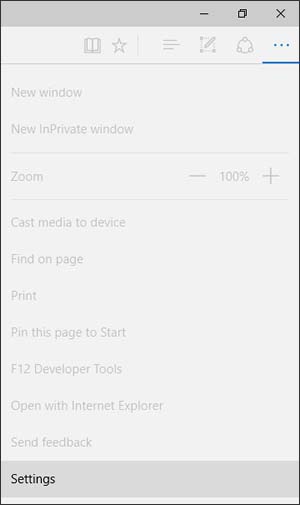
- From the Edge app, selectMore
(three horizontal dots in the upper-right).
Utilize the touchscreen (if available) or mouse to select the on-screen options. - SelectSettings.
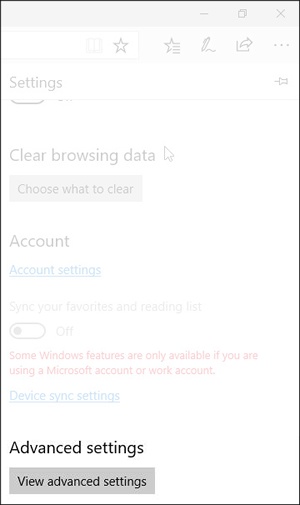
- From the Advanced settings section (scroll to the bottom), selectView advanced settings.
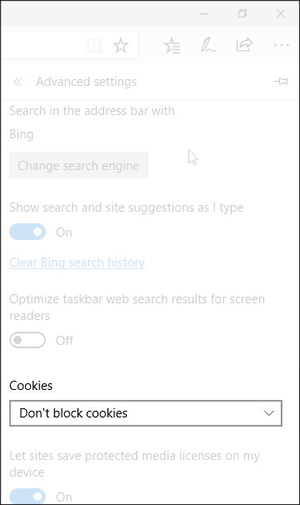
- Select the 'Cookies'dropdown menu.
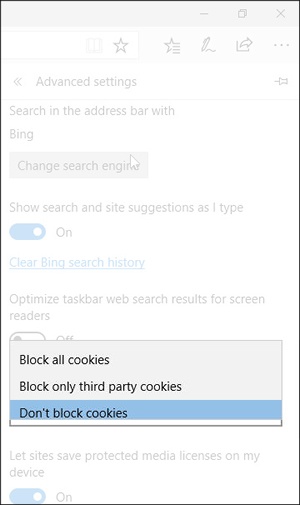
- Select one of the following:
- Block all cookies
- Block only third party cookies
- Don't block cookies