Samsung Galaxy Note8 - View / Restrict Data Usage by App
Here's how to view / restrict the amount of data an app on your Galaxy Note8 uses.
Some apps need background data. Restricting data may cause them not to work without a Wi-Fi connection.
If using Bixby Voice or Simplified view, you must switch to standard view to navigate the steps below. To modify the view, swipe the . 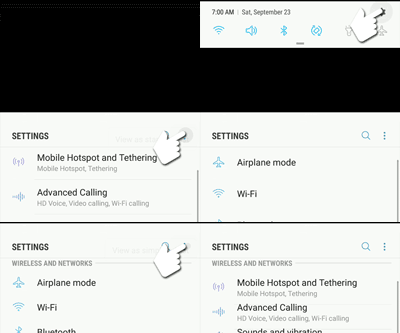
Status bar
down then navigate: Settings icon 
Menu icon 
View as standard list
- Open theSettings app
.
- Navigate: .
- Select an app below the usage graph then view the usage.To restrict the app from using data in the background, tap theAllow background data usage switchto turn off
.
Here's info on setting data limits / warnings and changing the usage cycle on your device.